
Zoom
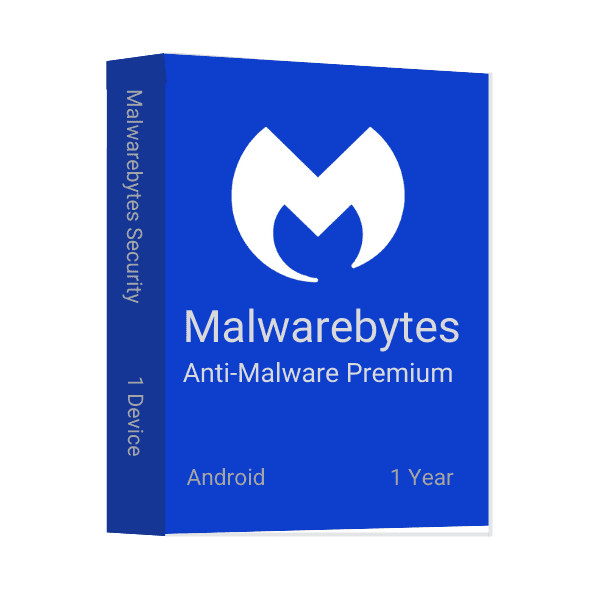
Wanneer u uw Android-apparaat gebruikt, is het belangrijk om een beveiligingsapp te gebruiken die schadelijke software kan detecteren en verwijderen. Malwarebytes Anti-Malware Premium voor Android is een van de populairste en meest effectieve beveiligingsapps op de markt, en wij hebben een speciale aanbieding voor u!
Malwarebytes is een populaire anti-malware-app voor Android. De app helpt uw apparaat te beschermen tegen malware en andere schadelijke dreigingen. Malwarebytes is beschikbaar als gratis app en biedt daarnaast premiumfuncties die u kunt aanschaffen. Een van de belangrijkste voordelen van Malwarebytes is dat het malware kan detecteren en verwijderen, zelfs als u geen internettoegang heeft. Bovendien zorgt de realtime bescherming ervoor dat u altijd op de hoogte bent van de nieuwste dreigingen. Als u op zoek bent naar een effectieve manier om uw Android-apparaat te beschermen tegen malware, is Malwarebytes een uitstekende keuze.
Malwarebytes is een van de toonaangevende bedrijven op het gebied van anti-malwaresoftware. Het biedt een breed scala aan producten om uw apparaten te beschermen tegen schadelijke software. Malwarebytes heeft drie hoofdtypen producten: Anti-Malware, Protection en Security. Anti-Malware verwijdert het grootste deel van de malware op uw apparaat, Protection beschermt uw apparaat tegen toekomstige infecties en Security houdt uw apparaat veilig door schadelijke websites te blokkeren en uw gegevens te beschermen.
Elk type Malwarebytes heeft zijn eigen voor- en nadelen. Anti-Malware is uitstekend voor het verwijderen van het grootste deel van de malware op uw apparaat, maar kan niet alle infecties tegenhouden. Protection kan u helpen beschermen tegen toekomstige infecties, maar kan uw apparaat vertragen. Security is de beste optie om uw apparaat te beschermen tegen schadelijke websites en uw gegevens te beveiligen.
Malwarebytes Anti-Malware Premium voor Android bevat de volledige versie van Malwarebytes Anti-Malware en de nieuwste versie van de bijbehorende app, Malwarebytes Anti-Rootkit. De app bevat ook functies die specifiek zijn voor Android-apparaten, zoals realtime scannen en bescherming tegen verborgen dreigingen. Daarnaast biedt de app een schat aan informatie over de beveiliging en bescherming die Malwarebytes Anti-Malware biedt.
Malwarebytes voor Android is een app die is ontworpen om Android-apparaten te beschermen tegen virussen en malware. Volg de instructies in dit artikel om de app te downloaden en te installeren op Android-apparaten. Deze stappen gelden ook voor een herinstallatie na een onbedoelde verwijdering.
Malwarebytes Anti-Malware Premium voor Android is een uitstekende app voor het detecteren en verwijderen van malware op uw apparaat.
Bij McKeyWij verkopen 100% digitale softwarelicentiesleutels. Er is geen fysiek product en er vindt geen fysieke verzending plaats. Lees dit beleid aandachtig door voordat u uw bestelling plaatst.
Alle producten die op Msckey.com worden verkocht, zijn Digitale licentiesleutels worden per e-mail verzonden.Zodra uw betaling is bevestigd, worden uw licentiesleutel(s) naar het e-mailadres gestuurd dat u bij het afrekenen hebt opgegeven.
Als u uw licentiesleutel niet binnen 24 uur na uw bevestigde betaling heeft ontvangen, neem dan contact met ons op via support@msckey.com En we zullen het snel oplossen.
Omdat onze producten digitale licentiesleutels zijn, is ons retourbeleid anders dan voor fysieke producten. Lees het volgende aandachtig door voordat u uw aankoop voltooit.
U kunt een volledige terugbetaling aanvragen. voordat uw licentiesleutel naar u is verzondenAls u na het plaatsen van uw bestelling van gedachten verandert en de sleutel nog niet is geleverd, neem dan zo snel mogelijk contact op met onze klantenservice. Wij zullen uw terugbetaling dan verwerken.
Zodra de licentiesleutel naar uw e-mailadres is verzonden, De bestelling wordt als voltooid beschouwd en is strikt niet-restitueerbaar.Dit geldt ongeacht of de sleutel al dan niet is geactiveerd. Zodra de sleutel is geleverd, is deze in uw bezit en kan deze niet worden geretourneerd zoals een fysiek product.
Zodra een licentiesleutel is geactiveerd of gebruikt op een apparaat of account, is deze onder geen enkele omstandigheid restitueerbaar, zonder uitzonderingen.
Wij staan achter de kwaliteit van onze producten. Als u een sleutel ontvangt die niet werkt of ongeldig is, neem dan contact op met onze klantenservice. binnen 30 dagen na aankoop met de volgende informatie:
We zullen de zaak onderzoeken en, als het probleem aan onze kant wordt bevestigd, u naar eigen inzicht een vervangende sleutel verstrekken of een terugbetaling uitvoeren.
Mocht u vragen hebben over uw bestelling, levering of dit beleid, neem dan gerust contact op met onze klantenservice.
Ons supportteam staat klaar om u te helpen en zal zo snel mogelijk reageren.
Laatst bijgewerkt: juni 2026. Msckey behoudt zich het recht voor dit beleid op elk moment bij te werken. Eventuele wijzigingen worden op deze pagina weergegeven.
Wishlist is empty.

