
Zoom
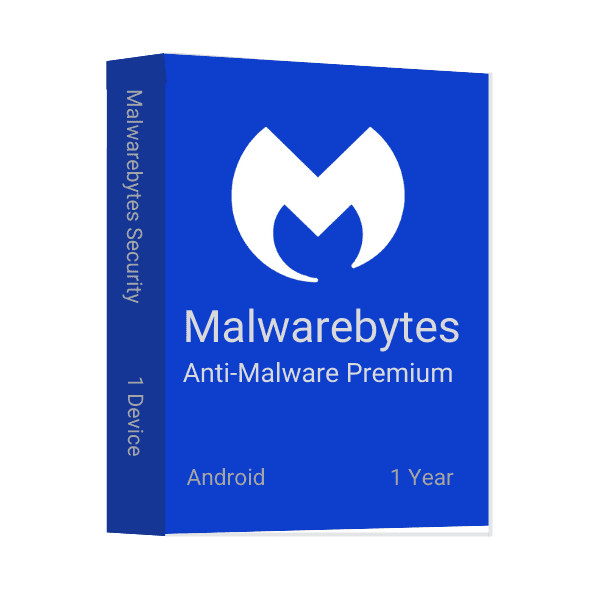
Naudojant Android įrenginį svarbu turėti saugos programą, galinčią aptikti ir pašalinti kenkėjišką programinę įrangą. Malwarebytes Anti-Malware Premium, skirta Android, yra viena populiariausių ir veiksmingiausių saugos programų rinkoje, o mes turime jums specialų pasiūlymą!
Malwarebytes yra populiari kovos su kenkėjiškomis programomis programa, skirta Android. Ji padeda apsaugoti jūsų įrenginį nuo kenkėjiškų programų ir kitų kenkėjiškų grėsmių. Malwarebytes galima naudoti kaip nemokamą programą, be to, ji siūlo ir mokamų Premium funkcijų. Vienas pagrindinių Malwarebytes privalumų – ji gali aptikti ir pašalinti kenkėjiškas programas net tada, kai neturite interneto ryšio. Be to, dėl realiojo laiko apsaugos visada būsite apsaugoti nuo naujausių grėsmių. Jei ieškote veiksmingo būdo apsaugoti savo Android įrenginį nuo kenkėjiškų programų, Malwarebytes yra puikus pasirinkimas.
Malwarebytes yra viena pirmaujančių kovos su kenkėjiškomis programomis programinės įrangos bendrovių. Ji siūlo įvairių produktų, kurie apsaugo jūsų įrenginius nuo kenkėjiškos programinės įrangos. Malwarebytes turi tris pagrindinius produktų tipus: Anti-Malware, Protection ir Security. Anti-Malware pašalina didžiąją dalį kenkėjiškų programų jūsų įrenginyje, Protection saugo jūsų įrenginį nuo būsimų užkrėtimų, o Security užtikrina jūsų įrenginio saugumą blokuodama kenkėjiškas svetaines ir apsaugodama jūsų duomenis.
Kiekvienas Malwarebytes tipas turi savo privalumų ir trūkumų. Anti-Malware puikiai tinka didžiajai daliai kenkėjiškų programų jūsų įrenginyje pašalinti, tačiau negali sustabdyti visų užkrėtimų. Protection gali padėti apsisaugoti nuo būsimų užkrėtimų, tačiau gali sulėtinti jūsų įrenginį. Security yra geriausias pasirinkimas, norint apsaugoti įrenginį nuo kenkėjiškų svetainių ir apsaugoti savo duomenis.
Malwarebytes Anti-Malware Premium, skirta Android, apima pilną Malwarebytes Anti-Malware versiją ir naujausią papildomos programos Malwarebytes Anti-Rootkit versiją. Programoje taip pat yra Android įrenginiams skirtų funkcijų, pavyzdžiui, nuskaitymas realiuoju laiku ir apsauga nuo paslėptų grėsmių. Be to, programa pateikia daug informacijos apie Malwarebytes Anti-Malware teikiamą saugumą ir apsaugą.
Malwarebytes, skirta Android, yra programa, sukurta Android įrenginiams apsaugoti nuo virusų ir kenkėjiškų programų. Vadovaukitės šiame straipsnyje pateiktomis instrukcijomis, kad atsisiųstumėte ir įdiegtumėte programą Android įrenginiuose. Šie veiksmai taip pat tinka pakartotiniam įdiegimui, jei programą netyčia pašalinote.
Malwarebytes Anti-Malware Premium, skirta Android, yra puiki programa kenkėjiškoms programoms jūsų įrenginyje aptikti ir pašalinti.
Msckey delivers all products as digital license keys sent to the email address you enter at checkout. There is no physical box, disc or shipment.
Most orders are delivered within 1 to 24 hours after payment confirmation. Delivery can take longer when a payment needs a security review.
If your key has not arrived 24 hours after payment confirmation, email support@msckey.com. Include your order number and the email address you used at checkout.
No. Msckey charges no shipping fee on any order because every product is delivered digitally.
Yes, as long as your license key has not been delivered yet. To cancel:
Email as soon as possible. Once a key has been delivered, the order counts as fulfilled and can no longer be cancelled.
No. A delivered license key cannot be returned for a change-of-mind refund, whether or not you have activated it.
Why: A license key is digital content. Once it has been emailed to you, it cannot be handed back the way a physical product can.
Your cancellation right: Under UK consumer law, you normally have 14 days to cancel an online purchase. For digital content, that right ends once delivery begins, provided you agreed to immediate delivery and confirmed that you understand you lose the right. By placing an order with Msckey, you agree that we may deliver your key immediately, and you acknowledge that your right to cancel ends once the key is delivered.
Check the product name, version, edition and number of devices before you pay. Also check that the software supports your operating system. If you are unsure, email support@msckey.com before you buy.
If you notice a mistake before your key is delivered, cancel the order using the steps above for a full refund. Once a key has been delivered, a wrong-product purchase is treated as a change of mind and is not refundable.
A faulty key is a key that the software publisher's activation system rejects as invalid, blocked or already used, when you enter it for the product you ordered on a supported system.
Msckey replaces faulty keys. To report one:
Report a faulty key as soon as you find the problem. Some activation errors can be fixed without a new key. For example, Office can often be activated by phone when online activation fails; our guide on how to activate Microsoft Office by phone shows you how.
Msckey sends every approved refund back to the payment method you used at checkout. Depending on your bank or payment provider, the money takes 3 to 10 business days to appear. Our Payment page has more detail on payment methods and processing.
Nothing in this policy affects your legal rights as a consumer. This includes your rights under the UK Consumer Rights Act 2015 or the consumer law of your country. These rights include your right to digital content that is as described, fit for purpose and of satisfactory quality.
This policy forms part of our Terms and Conditions.
For questions about delivery, cancellations or refunds, contact Msckey:
Include your order number in every message so we can find your order straight away.
Last updated: September 2026. Msckey may update this policy. Any changes will appear on this page with a new date.
Wishlist is empty.

