
Zoom
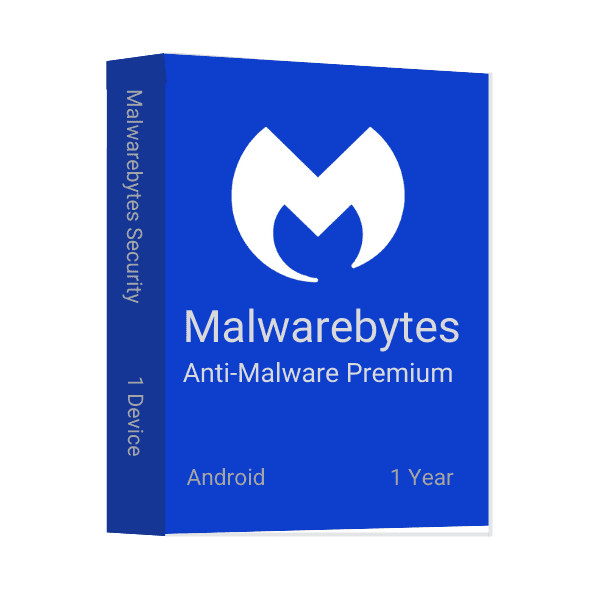
Cuando usas tu dispositivo Android, es importante utilizar una aplicación de seguridad que pueda detectar y eliminar software malicioso. Malwarebytes Anti-Malware Premium para Android es una de las aplicaciones de seguridad más populares y eficaces del mercado, ¡y tenemos una oferta especial para ti!
Malwarebytes es una popular aplicación antimalware para Android. Ayuda a proteger tu dispositivo frente al malware y otras amenazas maliciosas. Malwarebytes está disponible como aplicación gratuita y también ofrece funciones premium que se pueden comprar. Una de las principales ventajas de usar Malwarebytes es que puede detectar y eliminar malware incluso si no tienes acceso a internet. Además, su protección en tiempo real hace que siempre estés al día frente a las amenazas más recientes. Si buscas una forma eficaz de mantener tu dispositivo Android a salvo del malware, Malwarebytes es una gran opción.
Malwarebytes es una de las principales empresas de software antimalware. Ofrece una amplia variedad de productos para proteger tus dispositivos frente al software malicioso. Malwarebytes tiene tres tipos principales de productos: Anti-Malware, Protection y Security. Anti-Malware elimina la mayor parte del malware de tu dispositivo, Protection protege tu dispositivo frente a futuras infecciones y Security mantiene tu dispositivo seguro bloqueando sitios web maliciosos y protegiendo tus datos.
Cada tipo de Malwarebytes tiene sus propias ventajas e inconvenientes. Anti-Malware es ideal para eliminar la mayor parte del malware de tu dispositivo, pero no puede detener todas las infecciones. Protection puede ayudarte a protegerte de futuras infecciones, pero puede ralentizar tu dispositivo. Security es la mejor opción para mantener tu dispositivo a salvo de sitios web maliciosos y proteger tus datos.
Malwarebytes Anti-Malware Premium para Android incluye la versión completa de Malwarebytes Anti-Malware, así como la última versión de su aplicación complementaria, Malwarebytes Anti-Rootkit. La aplicación también incluye funciones específicas para dispositivos Android, como el análisis en tiempo real y la protección contra amenazas ocultas. Además, la aplicación ofrece abundante información sobre la seguridad y la protección que proporciona Malwarebytes Anti-Malware.
Malwarebytes para Android es una aplicación diseñada para proteger los dispositivos Android frente a virus y malware. Sigue las instrucciones de este artículo para descargar e instalar la aplicación en dispositivos Android. Estos pasos también sirven para reinstalarla en caso de una desinstalación accidental.
Malwarebytes Anti-Malware Premium para Android es una gran aplicación para detectar y eliminar malware de tu dispositivo.
en msckey, vendemos claves de licencia de software 100% digitales. No hay ningún producto físico ni envío físico involucrado. Lea atentamente esta política antes de realizar su pedido.
Todos los productos vendidos en Msckey.com son claves de licencia digitales entregadas por correo electrónico. Una vez confirmado el pago, se enviarán sus claves de licencia a la dirección de correo electrónico que proporcionó al finalizar la compra.
Si no ha recibido su clave de licencia dentro de las 24 horas posteriores a su pago confirmado, contáctenos en support@msckey.com y lo resolveremos rápidamente.
Debido a que nuestros productos son claves de licencia digitales, nuestra política de reembolso funciona de manera diferente a la de los productos físicos. Lea atentamente lo siguiente antes de completar su compra.
Puede solicitar un reembolso completo antes de que le hayan enviado su clave de licencia. Si cambia de opinión después de realizar un pedido y la clave aún no ha sido entregada, comuníquese con nuestro equipo de soporte lo antes posible y procesaremos su reembolso.
Una vez que se haya enviado una clave de licencia a su correo electrónico, el pedido se considera cumplido y no es estrictamente reembolsable. Esto se aplica independientemente de si la clave se ha activado o no. Una vez entregada, la llave estará en su poder y no podrá devolverse como un artículo físico.
Una vez que una clave de licencia ha sido activada o utilizada en cualquier dispositivo o cuenta, no es reembolsable bajo ninguna circunstancia, sin excepciones.
Respaldamos la calidad de nuestros productos. Si recibe una clave que no funciona o no es válida, comuníquese con nuestro equipo de soporte dentro de los 30 días posteriores a la compra con la siguiente información:
Investigaremos y, si verificamos el problema por nuestra parte, le proporcionaremos una clave de reemplazo o emitiremos un reembolso a nuestra discreción.
Si tiene alguna pregunta sobre su pedido, entrega o esta política, no dude en comunicarse con nuestro equipo de soporte:
Nuestro equipo de soporte está disponible para ayudarle y responderá lo más rápido posible.
Última actualización: junio de 2026. Msckey se reserva el derecho de actualizar esta política en cualquier momento. Cualquier cambio se reflejará en esta página.
Wishlist is empty.

