
Zoom
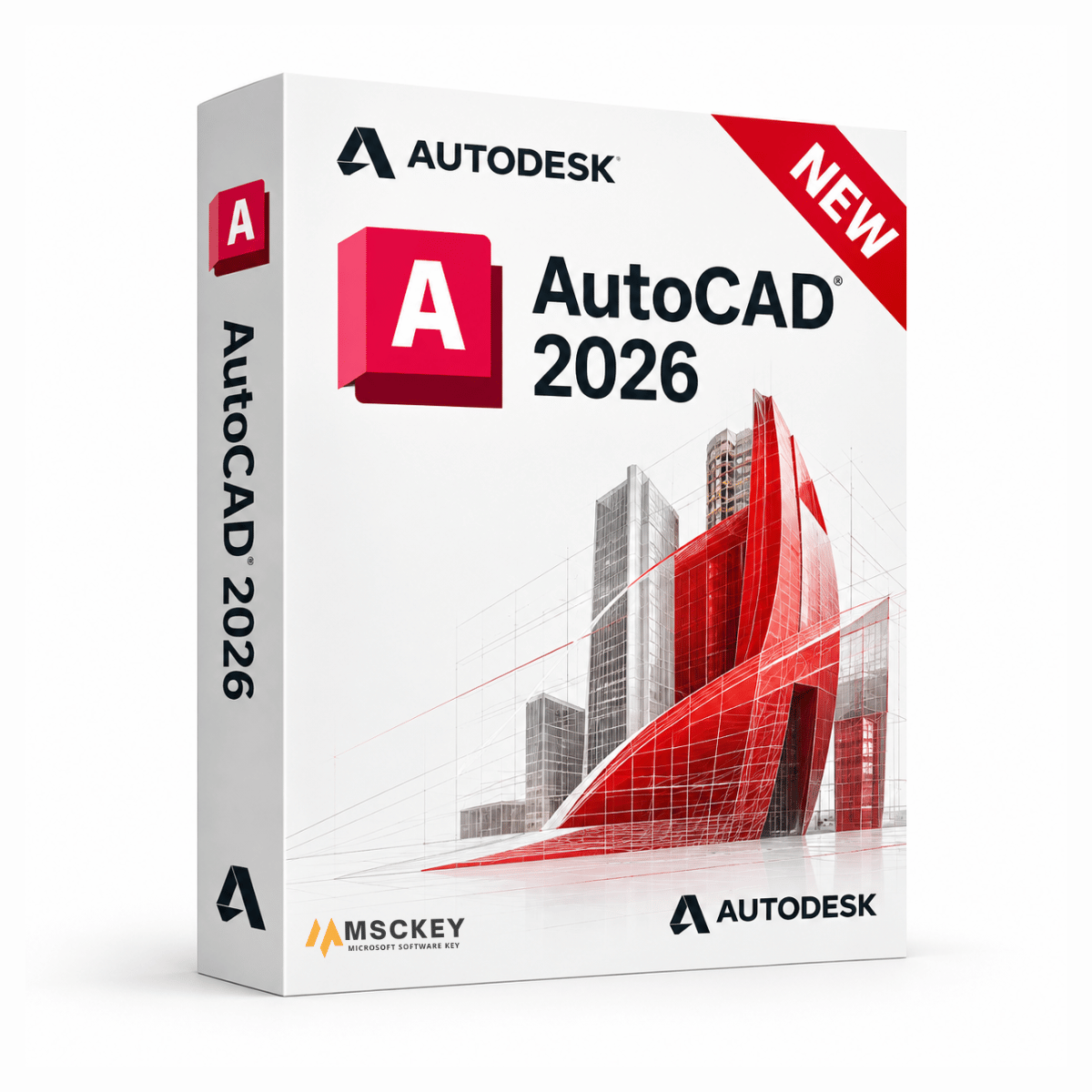
Educatieve softwareversie, compleet met alle functies, beschikbaar voor persoonlijk/educatief gebruik en niet voor professionele doeleinden. Er staat geen watermerk of verwijzing naar de educatieve versie op de afgedrukte bestanden.
Autodesk AutoCAD 2026 is de nieuwste release van de industriestandaard voor computerondersteund ontwerpen, voor 2D-tekenwerk en 3D-modellering. Architecten, civiel- en werktuigbouwkundig ingenieurs, MEP-ontwerpers, interieurontwerpers en bouwprofessionals gebruiken AutoCAD om nauwkeurige tekeningen te maken in het native DWG-formaat. De release van 2026 richt zich op twee dingen: grote tekeningen sneller openen en verwerken, en Autodesk AI inzetten om repetitief werk met blocks en markeringen te elimineren. Kies hieronder de licentieduur en het aantal apparaten voor uw AutoCAD 2026-licentie en ontvang uw sleutel per e-mail van Msckey.
Precisie die standhoudt: AutoCAD levert maatvaste 2D- en 3D-geometrie in DWG, het formaat dat de meeste adviseurs, aannemers en vergunningverlenende instanties verwachten te ontvangen. Dit is de praktische reden waarom bedrijven bij AutoCAD blijven in plaats van over te stappen.
Eén tool, acht toolsets: Een AutoCAD-abonnement omvat de gespecialiseerde toolsets, waaronder Architecture, Mechanical, Electrical, MEP, Plant 3D, Map 3D, Raster Design en Civil 3D. U hoeft vakspecifieke software dus niet apart aan te schaffen.
Overal werken: Naast de Windows-desktopapp omvat uw abonnement ook de AutoCAD-web- en mobiele apps, zodat tekeningen tijdens een bouwplaatsbezoek of op een geleende computer kunnen worden bekeken en van markeringen voorzien.
De release van 2026 is een evolutie, geen revolutie. De workflows die u kent blijven hetzelfde, maar diverse knelpunten zijn verdwenen. Dit zijn de wijzigingen die de moeite waard zijn, afkomstig uit de officiële release notes van Autodesk voor AutoCAD 2026:
Sneller bestanden openen en opstarten
Autodesk meldt gemiddeld tot 11x snellere openingstijden van bestanden en ongeveer 4x snellere opstarttijden dan AutoCAD 2025. Dit zijn Autodesks eigen interne benchmarkcijfers; de winst in de praktijk hangt af van uw hardware, de omvang van de tekening en het aantal xrefs in een bestand. Beschouw ze dus als een indicatie van de richting en niet als een gegarandeerd resultaat op uw computer. De verbetering is het duidelijkst merkbaar bij grote tekeningen met veel verwijzingen.
Smart Blocks: Detect and Convert
Deze functie, aangedreven door Autodesk AI, scant een volledige tekening in één keer en bepaalt welke herhaalde objecten blockdefinities kunnen worden, in plaats van dat u ze geval per geval moet opsporen. Dit is vooral handig bij geïmporteerde of overgenomen tekeningen waarin de geometrie per exemplaar licht verschilt. Let op: deze functie werd gelanceerd als Tech Preview en is sinds de update AutoCAD 2026.1.1 volledig geïmplementeerd en niet langer in preview. Ze detecteert nu ook tekstvariaties, niet alleen identieke blocks.
Smart Blocks: Search and Convert
Doorzoek een tekening op geometrie die overeenkomt met een gedefinieerd block en vervang elk overeenkomend exemplaar in één handeling, waarbij AI een geschikt block uit uw bibliotheek voorstelt.
Markup Import en Markup Assist
Importeer JPG-, PNG- en PDF-markeringen, inclusief markeringen die in PDF-tools van derden zijn gemaakt, vanuit Autodesk Docs naar een speciale Trace-laag. Markup Assist herkent vervolgens tekstwijzigingen, revisiewolken en doorhalingen en begeleidt u bij het doorvoeren van elke wijziging, wat de cyclus van controleren en herzien aanzienlijk verkort.
Connected Support Files
Definieer één projectbewuste set ondersteunende bestanden en instellingen, zoals lettertypen, plotstijlen, arceerpatronen en xref-paden, gekoppeld aan een Autodesk Docs-project. Elke medewerker krijgt automatisch de juiste bestanden, in plaats van dat elke computer handmatig moet worden geconfigureerd. Dit is nadrukkelijk bedoeld voor CAD-managers die binnen een team te maken hebben met fouten door niet-overeenkomende bestanden.
Activity Insights: What's Changed
Een overzicht met tijdstempels van bewerkingen tussen opslagmomenten, voor alle medewerkers aan een tekening. Handig wanneer u moet vaststellen wat er is gewijzigd en wanneer, zonder revisies handmatig te vergelijken.
Laagbeheer voor hartlijnen en middelpuntmarkeringen
De systeemvariabele CENTERLAYER is nu geïntegreerd in de workflow voor het maken van nieuwe hartlijnen en middelpuntmarkeringen, zodat annotaties zonder extra stap op de juiste laag terechtkomen.
Als u twijfelt tussen deze versie en de AutoCAD 2025-licentie, vindt u hier een eerlijke vergelijking:
| Functie | AutoCAD 2026 | AutoCAD 2025 |
|---|---|---|
| Snelheid bestanden openen (Autodesk-benchmark) | Tot 11x sneller dan 2025 | Uitgangspunt |
| Opstartsnelheid (Autodesk-benchmark) | Ongeveer 4x sneller dan 2025 | Uitgangspunt |
| Smart Blocks: Search and Convert | Verbeterd | Beschikbaar |
| Smart Blocks: Detect and Convert | Ja (uit Tech Preview vanaf 2026.1.1) | Nee |
| Detecteert tekstvariaties in blocks | Ja | Nee |
| Markup Import en Markup Assist | Verbeterd | Beschikbaar |
| Connected Support Files | Ja | Nee |
| Activity Insights "What's Changed" | Ja | Basisversie van Activity Insights |
| CENTERLAYER-integratie | Ja | Nee |
| Inbegrepen gespecialiseerde toolsets | Alle 8 | Alle 8 |
| Toegang tot web- en mobiele app | Ja | Ja |
Kort gezegd: als u zelfstandig aan tekeningen van beperkte omvang werkt, doet 2025 hetzelfde werk. Als u de hele dag grote bestanden met veel xrefs opent, de CAD-standaarden van een team beheert of veel PDF-markeringsrevisies verwerkt, verdient 2026 zijn plek.
AutoCAD en AutoCAD LT dienen verschillende behoeften, en de verkeerde kopen is de meest voorkomende fout die wij bij Autodesk-bestellingen zien.
AutoCAD ondersteunt zowel 2D-tekenwerk als 3D-modellering, bevat de gespecialiseerde branchetoolsets, ondersteunt AutoLISP-automatisering en aangepaste scripts, en beschikt over de hierboven beschreven AI-functies. Het is geschikt voor architectuur, civiele techniek, productie en iedereen die 3D of automatisering nodig heeft.
AutoCAD LT is de editie voor alleen 2D. Deze kost minder en is goed in nauwkeurig 2D-tekenwerk, maar heeft geen 3D-modellering, geen gespecialiseerde toolsets en geen AutoLISP-programmering. Bestaat uw werk puur uit 2D-tekeningen en schrijft u nooit scripts, dan is LT de verstandige besparing.
| Functie | AutoCAD | AutoCAD LT |
|---|---|---|
| Het meest geschikt voor | 2D- en 3D-tekenen, ontwerpen en modelleren | Alleen 2D-tekenen |
| 3D-modellering en visualisatie | Beschikbaar | Niet beschikbaar |
| Gespecialiseerde toolsets (Architecture, MEP, enz.) | Beschikbaar | Niet beschikbaar |
| Autodesk AI-functies (Smart Blocks) | Beschikbaar | Beperkt |
| Automatisering met AutoLISP en Visual LISP | Beschikbaar | Niet beschikbaar |
| Samenwerking en web-/mobiele apps | Beschikbaar | Beschikbaar |
| Prijs | Hoger | Voordelig |
Bij het kiezen van een versie draait het vooral om compatibiliteit, niet om functies.
Stem eerst af op uw samenwerkingspartners
DWG-bestanden die in een nieuwere AutoCAD-versie zijn opgeslagen, openen mogelijk niet probleemloos in oudere releases. Als u tekeningen uitwisselt met adviseurs, klanten of een hoofdkantoor, kies dan de versie die zij gebruiken; dat weegt zwaarder dan welke functie in de lijst hierboven ook. Oudere releases, waaronder AutoCAD 2024, AutoCAD 2023 en AutoCAD 2022, blijven precies om deze reden beschikbaar.
Beoordeel uw hardware eerlijk
Oudere computers draaien oudere releases soepeler. Als uw werkstation al een aantal jaar oud is en in de buurt van de onderstaande minimumspecificaties zit, zal een eerdere versie in het dagelijks gebruik prettiger aanvoelen dan 2026.
Kijk naar uw werkelijke knelpunt
Als wachten tot grote bestanden geopend zijn uw dagelijkse frustratie is, pakt het prestatiewerk in 2026 dat direct aan. Zijn uw tekeningen klein en ligt uw frustratie elders, dan zal de upgrade marginaal aanvoelen.
Bedrijven die BIM-werk doen in plaats van tekenwerk, kunnen beter kijken naar Autodesk Revit 2026, in plaats van of naast AutoCAD. Revit bouwt een gecoördineerd gebouwmodel, terwijl AutoCAD tekeningen produceert.
| Onderdeel | Minimaal | Aanbevolen |
|---|---|---|
| Besturingssysteem | 64-bit Windows 10 of Windows 11 | 64-bit Windows 11, volledig bijgewerkt |
| Processor | 2,5–2,9 GHz, 8 logische cores | 3,0 GHz+ basis, 4,0 GHz+ turbo |
| Geheugen | 8 GB | 32 GB of meer |
| Videokaart | 2 GB GPU, DirectX 11, 29 GB/s bandbreedte | 8 GB GPU, DirectX 12, 106 GB/s bandbreedte |
| Schermresolutie | 1920 x 1080 (True Color) | Tot 3840 x 2160 (4K) |
| Schijfruimte | 10 GB, SSD aanbevolen | NVMe SSD |
| .NET | .NET 8 | .NET 8 |
| Internet | Vereist voor activering en cloudfuncties | Breedband |
ARM-processors worden niet ondersteund. DirectX 12 met Feature Level 12_0 is nodig om de visuele stijlen "Fast" in te schakelen.
V1: Kan ik een levenslange of permanente AutoCAD-licentie krijgen?
Nee. Autodesk verkoopt AutoCAD uitsluitend als abonnement en biedt al jaren geen permanente licenties meer aan. Een verkoper die een "levenslange AutoCAD-licentie" adverteert, beschrijft geen legitiem licentiemodel van Autodesk. Bij Msckey is AutoCAD 2026 verkrijgbaar met een looptijd van 1 en 3 jaar.
V2: Wat is het verschil tussen AutoCAD en AutoCAD LT?
AutoCAD omvat 2D- en 3D-ontwerp met alle gespecialiseerde toolsets en AutoLISP-automatisering. AutoCAD LT is alleen 2D, zonder toolsets of ondersteuning voor programmeren, tegen een lagere prijs. Zie de vergelijkingstabel hierboven.
V3: Is AutoCAD 2026 beschikbaar voor Mac?
Dit aanbod is alleen voor Windows. Autodesk brengt wel een Mac-versie van AutoCAD uit, maar die verschilt van de Windows-versie. De Mac-release bevat de gespecialiseerde toolsets niet. Hebt u die nodig, bekijk dan AutoCAD voor Mac.
V4: Werkt AutoCAD 2026 op Windows 10?
Ja. AutoCAD 2026 ondersteunt 64-bit Windows 10 en Windows 11. Windows 11 wordt aanbevolen voor de beste prestaties, vooral als u wilt profiteren van de snelheidsverbeteringen van 2026.
V5: Op hoeveel apparaten kan ik één licentie installeren?
Dat hangt af van de variant die u kiest. Dit aanbod biedt opties voor 1 en 2 apparaten. Kies vóór het afrekenen het aantal apparaten dat bij uw situatie past, want licentiesleutels worden na levering niet terugbetaald. Zie ons verzend- en retourbeleid voor de volledige voorwaarden.
V6: Worden mijn tekeningen geopend in oudere AutoCAD-versies?
Niet altijd. DWG-bestanden die in een nieuwere release zijn opgeslagen, kunnen mogelijk niet worden geopend in oudere versies. Als u bestanden deelt met mensen die eerdere releases gebruiken, kies dan hun versie of sla het bestand vóór verzending op in een ouder DWG-formaat.
V7: Wat als ik AutoCAD 2026 niet kan installeren of activeren?
Neem contact op met ons supportteam met uw ordernummer en een screenshot van de foutmelding. Ondersteuning is gratis bij uw aankoop. U bereikt ons via de contactpagina of via support@msckey.com.
Bij McKeyWij verkopen 100% digitale softwarelicentiesleutels. Er is geen fysiek product en er vindt geen fysieke verzending plaats. Lees dit beleid aandachtig door voordat u uw bestelling plaatst.
Alle producten die op Msckey.com worden verkocht, zijn Digitale licentiesleutels worden per e-mail verzonden.Zodra uw betaling is bevestigd, worden uw licentiesleutel(s) naar het e-mailadres gestuurd dat u bij het afrekenen hebt opgegeven.
Als u uw licentiesleutel niet binnen 24 uur na uw bevestigde betaling heeft ontvangen, neem dan contact met ons op via support@msckey.com En we zullen het snel oplossen.
Omdat onze producten digitale licentiesleutels zijn, is ons retourbeleid anders dan voor fysieke producten. Lees het volgende aandachtig door voordat u uw aankoop voltooit.
U kunt een volledige terugbetaling aanvragen. voordat uw licentiesleutel naar u is verzondenAls u na het plaatsen van uw bestelling van gedachten verandert en de sleutel nog niet is geleverd, neem dan zo snel mogelijk contact op met onze klantenservice. Wij zullen uw terugbetaling dan verwerken.
Zodra de licentiesleutel naar uw e-mailadres is verzonden, De bestelling wordt als voltooid beschouwd en is strikt niet-restitueerbaar.Dit geldt ongeacht of de sleutel al dan niet is geactiveerd. Zodra de sleutel is geleverd, is deze in uw bezit en kan deze niet worden geretourneerd zoals een fysiek product.
Zodra een licentiesleutel is geactiveerd of gebruikt op een apparaat of account, is deze onder geen enkele omstandigheid restitueerbaar, zonder uitzonderingen.
Wij staan achter de kwaliteit van onze producten. Als u een sleutel ontvangt die niet werkt of ongeldig is, neem dan contact op met onze klantenservice. binnen 30 dagen na aankoop met de volgende informatie:
We zullen de zaak onderzoeken en, als het probleem aan onze kant wordt bevestigd, u naar eigen inzicht een vervangende sleutel verstrekken of een terugbetaling uitvoeren.
Mocht u vragen hebben over uw bestelling, levering of dit beleid, neem dan gerust contact op met onze klantenservice.
Ons supportteam staat klaar om u te helpen en zal zo snel mogelijk reageren.
Laatst bijgewerkt: juni 2026. Msckey behoudt zich het recht voor dit beleid op elk moment bij te werken. Eventuele wijzigingen worden op deze pagina weergegeven.
Wishlist is empty.

