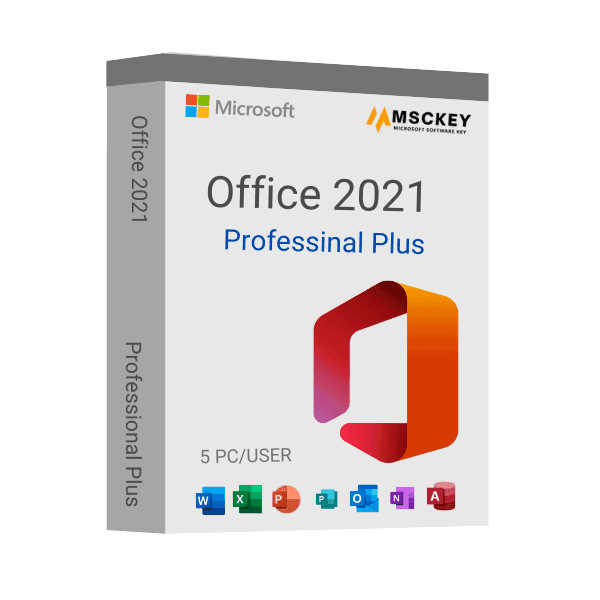
Microsoft bracht Microsoft Office 2021 uit op 5 oktober 2021 als de derde permanente release na MS Office 2016 voor de besturingssystemen Windows en macOS. Microsoft Office Professional Plus 2021 is een versie van Office 2021 die is ontworpen voor professionals en zakelijke gebruikers. Met een aantal onmisbare applicaties en boeiende functies maakt het dagelijkse taken eenvoudig voor professionals en zakelijke gebruikers.
De applicaties
Het officepakket 2021 wordt geleverd met een aantal populaire applicaties die door miljoenen particulieren en professionals worden gebruikt. Microsoft Office 2021 bevat al deze applicaties als versie van het MS Office-pakket 2021.
Word: MS Word, oftewel de Word-applicatie, maakt indrukwekkende documenten en verbetert uw typvaardigheid met de ingebouwde functies. Het is de afgelopen drie decennia een van de meest gebruikte applicaties geweest.
Excel: Excel, oftewel MS Excel, is ontworpen om overzichtelijke spreadsheets te maken die complexe gegevens van bedrijven, instellingen en particulieren vereenvoudigen. Excel-spreadsheets geven een beter en eenvoudiger beeld van complexe gegevens.
PowerPoint: Microsoft PowerPoint maakt indrukwekkende presentaties voor bedrijven, instellingen en particulieren. Dankzij talloze innovatieve functies wordt het ontwerpen van presentatiedia's eenvoudiger.
Outlook: Outlook werkt als een persoonlijke assistent: het helpt gebruikers hun e-mailaccounts, agenda, taken en contactpersonen op één plek te beheren. Met strikte beveiliging helpt Outlook de gebruiker georganiseerd te blijven en vooruit te plannen.
OneNote: OneNote is een veelzijdig notitieblok dat aan al uw behoeften voor het maken van notities voldoet. De gebruiker kan het gebruiken als virtueel notitieblok met extra functies.
Teams: Deze applicatie is ontworpen om iedereen op één plek samen te brengen om te vergaderen, te chatten, te bellen en samen te werken. Microsoft Teams is een handige applicatie voor het uitvoeren van teamwerk binnen bedrijven.
Access: Microsoft Access staat bekend om het maken van aanpasbare desktopdatabaseapplicaties. Met Access kan de gebruiker meerdere gegevensbronnen integreren.
Publisher: Microsoft Publisher is een applicatie waarmee u unieke en gespecialiseerde content voor elk doel ontwerpt. Gebruikers kunnen hun ontwerpen en publicaties delen met pixelperfecte afdrukken of ze exporteren naar niet-bewerkbare standaardformaten uit de branche.
De extra functies
In elke editie van het MS Office-pakket introduceert Microsoft nieuwe functies en werkt het de oude functies bij. Microsoft Office Professional Plus 2021 is daarop geen uitzondering. Als opvolger van MS Office 2019 wordt Microsoft Office Professional Plus 2021 geleverd met een aantal nieuwe toevoegingen en functies, naast verbeterde versies van de oude functies. Bekijk wat er in deze editie is veranderd:
Verbeterde prestaties van applicaties: Microsoft Office Professional Plus 2021 biedt aanzienlijke verbeteringen in de prestaties, stabiliteit en snelheid van applicaties. De grootste prestatieverbetering zit in Word, Excel, PowerPoint en Outlook. Veelgebruikte Excel-functies rekenen nu sneller dan in eerdere edities.
Bestanden automatisch opslaan door ze naar de cloud te verplaatsen: De gebruiker kan ervoor zorgen dat alle updates of wijzigingen automatisch worden opgeslagen door Word-, Excel- en PowerPoint-bestanden naar cloudopslag zoals OneDrive en SharePoint te verplaatsen. Zo zijn uw taken beschermd tegen gegevensverlies.
Documenten samen bewerken: Met de functie voor realtime co-authoring kan de gebruiker tegelijkertijd met anderen aan hetzelfde document of werkblad werken. Iedereen krijgt een melding wanneer er wijzigingen worden aangebracht in de gezamenlijk bewerkte werkbladen. Met deze co-authoringfunctie kan geen enkele medeauteur verborgen blijven tijdens het bewerken van dezelfde documenten of werkbladen.
Beheer voor gekoppelde tabellen: De bijgewerkte versie van het beheer voor gekoppelde tabellen is de plek om de gegevensbronnen en gekoppelde tabellen in een Access-database te bekijken en te beheren. Hiermee kan de gebruiker gekoppelde tabellen in de Access-database vernieuwen, opnieuw koppelen en verwijderen.
Samenwerken met opmerkingen: Samenwerken via opmerkingen in gezamenlijk bewerkte werkbladen is nu productiever. Degene die een opmerking plaatst, heeft controle bij het verzenden van de opmerking naar andere medeauteurs. Bovendien kan hij of zij elke medeauteur van het document of werkblad zien.
Update van het tabblad Tekenen: Het tabblad Tekenen in Word, Excel en PowerPoint is nu vereenvoudigd met nieuwe toevoegingen zoals de puntgum, de liniaal en het lassogereedschap. Bovendien is het nu snel toegankelijk en is het wijzigen van de kleur van de tekentools eenvoudiger.
Visuele vernieuwing en toegankelijkheidslint: De vernieuwde linttabbladen bieden de gebruiker een gemoderniseerde startervaring. De nieuwe updates communiceren acties en functies met eenvoudige visuals in de strakke stijl van monoline-iconografie, een neutraal kleurenpalet en zachtere vensterhoeken. Het toegankelijkheidslint brengt alle tools samen op één plek, zodat u tijd bespaart bij het werken.
XLOOKUP: Om de zoekervaring te verbeteren, introduceert Microsoft de functie XLOOKUP in Excel-werkbladen. Met deze functie kan de gebruiker nu rij voor rij zoeken om alles in een tabel of bereik te vinden.
Dynamische matrices: Microsoft heeft zes nieuwe functies aan Excel-werkbladen toegevoegd. Functies zoals FILTER, SORT, SORTBV, UNIQUE, SEQUENCE en RANDARRAY zijn toegevoegd om met één formule een matrix met waarden te retourneren.
Functie LET: Deze functie is in MS Excel geïntroduceerd om namen toe te wijzen aan berekeningsresultaten. Met de functie LET kunt u berekeningen of waarden opslaan of namen definiëren binnen een formule in een Excel-werkblad.
Functie XMATCH: Net als XLOOKUP zoekt de functie XMATCH naar een specifiek item in een matrix of celbereik in een Excel-werkblad. Na het zoeken retourneert de functie de relatieve positie van het opgegeven item. U kunt de functie ook gebruiken om een waarde van een matrix te bepalen.
Verbeterde opname van diavoorstellingen: Dankzij de ondersteuning voor video-opname van de presentator, inktopname en laseraanwijzeropname is het opnemen van een diavoorstelling nu effectiever bij het opnemen van een professionele presentatie. Bovendien kan de gebruiker met de nieuwe functie voor het opnieuw afspelen van inkt afspeel- of terugspoelanimaties op inkt toepassen en zo het tekeneffect op de presentatiedia krijgen.
ODF-ondersteuning: Microsoft Office Professional Plus 2021 ondersteunt het OpenDocument-formaat, oftewel ODF 1.3. Deze specificatie voegt ondersteuning toe voor veel functies van officepakketten.
Waarom zou u Microsoft Office Professional Plus 2021 met een productsleutel voor 5 pc's kopen?
De productsleutel voor 5 pc's is onmisbaar wanneer u zakelijk professional bent en een aantal apparaten via een computernetwerk moet laten werken. Door de productsleutel voor 5 pc's te kopen, wordt het eenvoudiger en voordeliger om het officiële geactiveerde Microsoft Office Professional Plus 2021 te gebruiken. Het is altijd fijn om originele kwaliteit voor een voordelig budget te krijgen via een toegankelijk kanaal zoals Msckey.
Waarom Msckey?
Msckey is een geautoriseerde partner van Microsoft, gevestigd in Laguna Beach, Californië. Met een 100% geld-terug-garantie levert Msckey geautoriseerde productlicentiesleutels van Microsoft en andere merken. We leveren door Microsoft geautoriseerde productlicentiesleutels tegen een lage prijs, via veilige en uiteenlopende betaalsystemen. We zorgen voor klanttevredenheid met onze diensten en ons after-salessupportteam dat 24/7 beschikbaar is.
Systeemvereisten
| Besturingssystemen |
Microsoft Windows 10 (64-bits en 32-bits).
Microsoft Windows 11 (64-bits en 32-bits). |
| Processor |
1,6 GHz, processor met 2 kernen. |
| RAM |
4 GB (64-bits), 2 GB (32-bits). |
| Grafische kaart |
DirectX 10-videokaart voor grafische hardwareversnelling. |
| Schijfruimte |
4 GB beschikbare schijfruimte. |
| Monitorresolutie |
1024 x 768. |
| Aanvullende vereisten |
Internetverbinding, Microsoft-account. |