Description
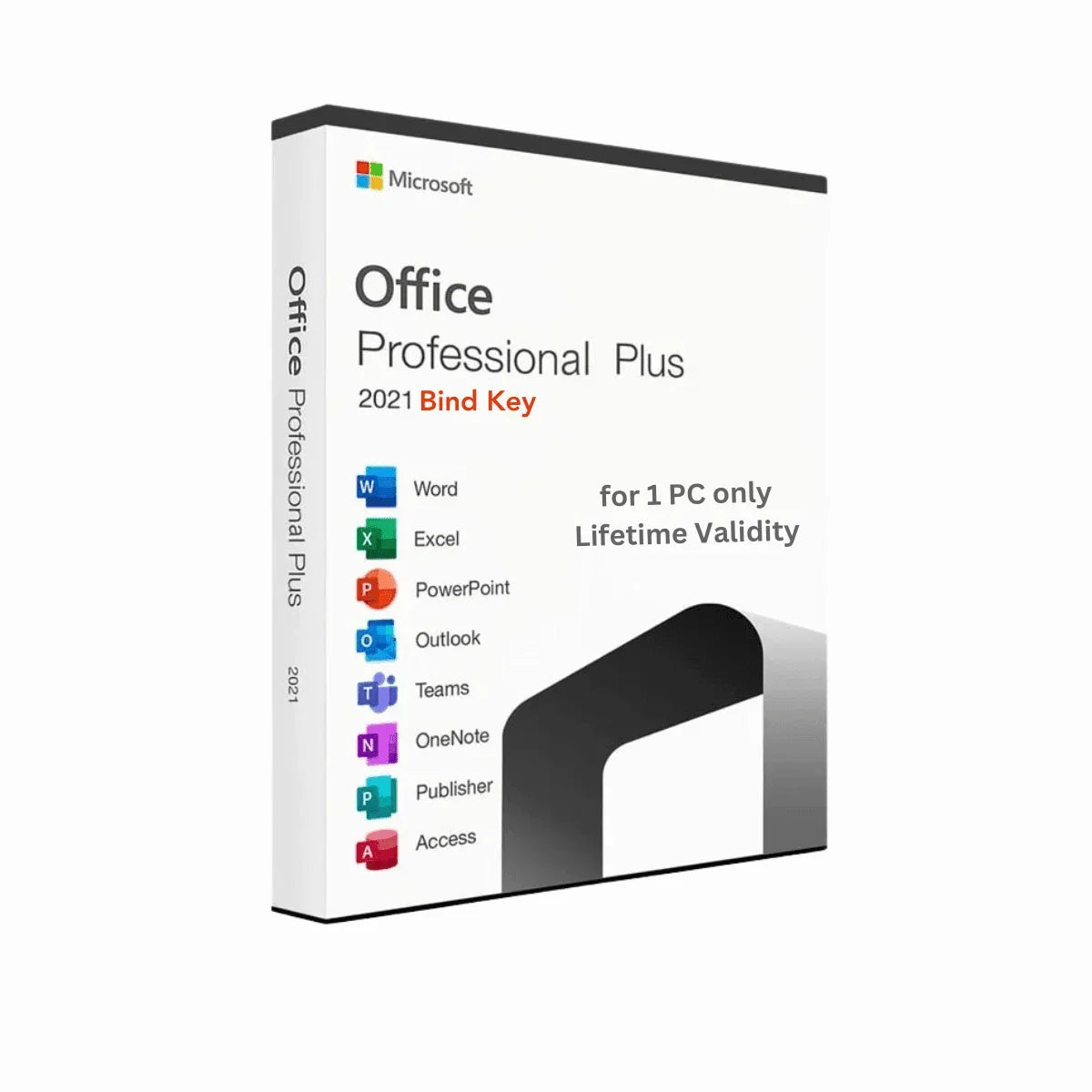
Microsoft Office has always been the talk of the town among professionals as the most popular productivity tool suite. This is especially true for Windows PC users. Every few years, we get to see new versions of this suite. Right now, the Microsoft Office 2021 Professional Plus is the most popular version among others. Stay with us as we talk more about this amazing software suite and how you can buy Office 2021 Pro Plus bind keys from Msckey!
Note: This is a binding CD key that integrates with your Microsoft Account. You can even use the premium features of the same bind key in another PC. Just you have to log in with the same Microsoft Account. It is fully compatible with Windows and does not work on Mac.
Increase Your Productivity With MS Office 2021 Pro Plus
Starting its journey with Windows 11, Microsoft Office Professional Plus 2021 was first released in October 2021. Since then, it has provided huge support to the community. So, exactly what this thing is? Microsoft Office 2021 Professional Plus is basically a one-time purchase suite.
You can make the most out of it if you’re in business prioritizing upfront costs or if you don’t need cloud features. You’ll get all kinds of classic productivity applications with this suite. Buy the Office 2021 Pro Plus bind key from Msckey and use it for a lifetime!
What is an Office 2021 Bind Key?
As we all know, Microsoft Office can be purchased with either the license key option or by the subscription method. But did you know that there’s another way to buy the Microsoft perpetual license? This process is by purchasing an Office 2021 bind key. Now what’s that?
Bind key is the type of perpetual license that gets embedded with your Microsoft account. So, whenever you are logging into your Microsoft account on your device, the Office 2021 Pro Plus gets activated and you can enjoy all its premium features. With one bind key, you can activate this suite in only one device. However, if you lose your device or somehow it gets broken, you can use the same key in the new device as well by logging into your Microsoft account.
Get Engrossed with Microsoft Office 2021 Pro Plus Features
Microsoft Office 2021 Pro Plus will mainly support you as a comprehensive suite of productivity applications with improved functionality. Now, even though it’s almost on par with Microsoft 365, it doesn’t have that cloud-based collaboration. Still, you can enjoy the other epic features of Microsoft Office 2021 Professional Plus. So, let’s take a look.
Enhanced Collaboration
We know we already said it doesn’t have that real-time collaboration feature in it. However, you can still share your work with your colleagues and teammates for them to see and add their thoughts as comments on to the document.
Improved Inking Tools
Get more precision with a stylus pen. Use it to draw, highlight, or write directly in your app. You can use it in almost all the apps, Microsoft OneNote is the perfect example for it.
Data Analysis and Visualisation Tools
Now introducing Dynamic Arrays in Excel! Use it to automatically expand formulas and fill up similar data patterns and create graphs and charts with greater ease.
Presentation Design and Animation
The new PowerPoint app has this new variety of tools. Want to create impactful presentation? The PowerPoint is now packed with new animation options and templates. You can now use them to scale up your presentation quality to a new level!
Latest Security Features
Microsoft never compromises with its security features. With this Office 2021 Pro Plus, you get regular security updates and fix any kind of vulnerabilities that might arise with time. With this, you can easily protect your data from potential cyber threats.
Moreover, you’ll see new security features such as sandboxing and app locker. Now isolate risky files and prevent them from harming your local files. If you thought that’s all for the security features, you couldn’t be more wrong! MS Office 2021 Professional Plus integrates with Windows OS security apps like antivirus or antimalware programs so that there’s not a single space left that’s risky!
What's Included in This Software
Let’s take a look at what applications are there in this Microsoft Office 2021 Pro Plus!
- Microsoft Word
- Microsoft Excel
- Microsoft PowerPoint
- Microsoft Outlook
- Microsoft OneNote
- Microsoft Publisher
- Microsoft Access
Why Should You Buy Office 2021 Bind Keys from Msckey?
You’ll definitely need an authentic bind key embedded in your Microsoft account to activate the Office 2021 Pro Plus software if you want to use it properly. That’s where Msckey steps in! Msckey has the official license for reselling authentic Microsoft software digital licenses.
Now you might be wondering, why should you go for a third-party site instead of Microsoft’s official page? The answer is simple! We are giving out the bind key for activating Office 2021 Pro Plus at a cheaper price than theirs. So, don’t wait for long and take your offer today!
How to Redeem the Microsoft Office 2021 Pro Plus Bind Key Global?
This is like the easiest and most efficient way to get a licensed Microsoft Office Pro Plus 2021. You can easily transfer it to another device, completely upgradable, and the files get synchronized as well!
So, let's take a look at how you can actually redeem the bind key and attach it to your account in simple and easy steps:
- Go to Microsoft’s official site, Setup.office.com.
- Log in with your Microsoft account or create a new one if you don’t have any.
- Press the button with “Get Started”.
- Enter the bind CD key you just purchased from Msckey and click Next.
- Click on Confirm and install the software from the Microsoft services site.
- After installing, launch a random office app.
- Log in with your Microsoft Account. And the app will automatically read the bind key in your account and unlock premium features
Things You’ll Be Getting with the Purchase
Msckey ensures top-class customer support and a smooth software experience with every purchase you make. Let’s take a look at what other stuff you’ll be getting with the purchase -
- The authentic bind key for a lifetime in one Microsoft account.
- Guidelines for using the bind key.
- Customer support contact details (in case you face any problem)
So, worry not if there’s any obstacle you face with the installation and activation of Office 2021 Professional Plus as we’re always here to support you anytime!
System Requirements
Before you unleash the power of Microsoft Office 2021 Pro Plus, it's crucial to ensure your system meets the minimum requirements. Think of it like prepping the right tools to get the job done. Let’s see what essentials you might need!
- OS: It supports Windows 11, Windows 10, Windows 10 LTSC 2021, Windows 10 LTSC 2019, Windows Server 2022, or Windows Server 2019.
- Processor: Minimum 1.1 GHz, 2-core processor.
- RAM: 4 GB. But we recommend you have 4 GB RAM.
- HDD: 4 GB is the bare minimum.
- Display: Minimum 1280 x 768. For more advanced graphical work, you can have a 4K supporting display.
- Graphics: DirectX 9 or later supporting. WDDM 2.0 or higher for Windows 10. If you need better graphics, you can get WDDM 1.3 or higher for hardware acceleration. It’s not a must, but definitely recommended.
For optimal performance, especially when running multiple applications or virtual machines, consider exceeding these recommendations. It’s always better to have more resources than you think you’ll need to ensure your server runs smoothly and efficiently.
Additional Information
Shipping & Return
Shipping & returns at a glance
- Delivery method: Msckey delivers every order as a digital license key by email. Nothing is shipped physically.
- Delivery time: Most orders arrive within 1 to 24 hours of payment confirmation.
- Shipping fee: None. Digital delivery costs nothing extra.
- Cancel before delivery: You get a full refund.
- Change of mind after delivery: A delivered key cannot be returned for a refund.
- Faulty key: Msckey replaces it. If Msckey cannot supply a working replacement, you get a full refund.
- Refund timing: Refunds go back to your original payment method within 3 to 10 business days.
- Help: Email support@msckey.com with your order number.
How is my order delivered?
Msckey delivers all products as digital license keys sent to the email address you enter at checkout. There is no physical box, disc or shipment.
- You complete payment at checkout.
- Msckey confirms the payment. Some orders go through a security review first, as explained on our Payment page.
- Msckey emails your license key to your checkout email address.
- You check your inbox. If the email is not there, check your spam or junk folder.
How long does delivery take?
Most orders are delivered within 1 to 24 hours after payment confirmation. Delivery can take longer when a payment needs a security review.
If your key has not arrived 24 hours after payment confirmation, email support@msckey.com. Include your order number and the email address you used at checkout.
Is there a shipping fee?
No. Msckey charges no shipping fee on any order because every product is delivered digitally.
Can I cancel my order?
Yes, as long as your license key has not been delivered yet. To cancel:
- You email support@msckey.com with your order number and the word "Cancel" in the subject line.
- Msckey checks whether the key has been sent.
- Msckey cancels the order and refunds the full amount if the key has not been delivered.
Email as soon as possible. Once a key has been delivered, the order counts as fulfilled and can no longer be cancelled.
Can I return a license key after it is delivered?
No. A delivered license key cannot be returned for a change-of-mind refund, whether or not you have activated it.
Why: A license key is digital content. Once it has been emailed to you, it cannot be handed back the way a physical product can.
Your cancellation right: Under UK consumer law, you normally have 14 days to cancel an online purchase. For digital content, that right ends once delivery begins, provided you agreed to immediate delivery and confirmed that you understand you lose the right. By placing an order with Msckey, you agree that we may deliver your key immediately, and you acknowledge that your right to cancel ends once the key is delivered.
What if I bought the wrong product?
Check the product name, version, edition and number of devices before you pay. Also check that the software supports your operating system. If you are unsure, email support@msckey.com before you buy.
If you notice a mistake before your key is delivered, cancel the order using the steps above for a full refund. Once a key has been delivered, a wrong-product purchase is treated as a change of mind and is not refundable.
What if my license key does not work?
A faulty key is a key that the software publisher's activation system rejects as invalid, blocked or already used, when you enter it for the product you ordered on a supported system.
Msckey replaces faulty keys. To report one:
-
You email support@msckey.com with:
- your order number
- a screenshot of the activation error message
- your device and system details, such as your Windows version
- Msckey checks the key and the error.
- Msckey sends you a replacement key if the key is confirmed faulty.
- Msckey refunds you in full if it cannot supply a working replacement.
Report a faulty key as soon as you find the problem. Some activation errors can be fixed without a new key. For example, Office can often be activated by phone when online activation fails; our guide on how to activate Microsoft Office by phone shows you how.
How do refunds work?
Msckey sends every approved refund back to the payment method you used at checkout. Depending on your bank or payment provider, the money takes 3 to 10 business days to appear. Our Payment page has more detail on payment methods and processing.
Your statutory rights
Nothing in this policy affects your legal rights as a consumer. This includes your rights under the UK Consumer Rights Act 2015 or the consumer law of your country. These rights include your right to digital content that is as described, fit for purpose and of satisfactory quality.
This policy forms part of our Terms and Conditions.
Contact us
For questions about delivery, cancellations or refunds, contact Msckey:
- Email: support@msckey.com
- Contact page: msckey.com/pages/contact
- Address: 27 Old Gloucester St, London WC1N 3AX, United Kingdom
Include your order number in every message so we can find your order straight away.
Last updated: September 2026. Msckey may update this policy. Any changes will appear on this page with a new date.
Reviews
My Wishlist
Wishlist is empty.
Compare
Shopping cart