Licence keys delivered by email, most within 24 hours
Genuine software licences · Secure checkout

Free tool
Is your Microsoft software still supported?
Check end-of-support dates for Windows, Office and Server before you upgrade.
Check nowmsckeyDigital licence key
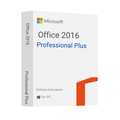
Microsoft Office Pro Plus 2016 – Online activation
$27.99
$69.98Save $41.99 (60%)
Instant email deliveryYour licence key is emailed to you instantly once your payment is confirmed. No shipping fee.
Faulty key? We replace itOr a full refund if we can'tSecure checkoutCard details never storedActivation guidesStep-by-step install helpEmail supportsupport@msckey.com
Secure payment
Check the edition, version, number of devices and that it supports your operating system before you buy. Not sure? Email us first.
Overview
Buy Microsoft Office Pro Plus 2016 Product Key - Online Activation
Office Pro Plus 2016 is a popular tool among users worldwide. It has many advanced features that will be useful for completing academic and professional tasks. Get this amazing tool at a one-time purchase package that allows you to uncover the well-known features of Microsoft Office 2016 online activation at an unbelievable discount rate!
With a vision to deliver software at a competitive price with an outstanding customer support team, Msckey is providing the best discount price for their customer! So, why do you buy software at a higher price when you can get the same product at a fraction of the regular price? We have a simple process to buy any software on our website, so make an order by clicking on Add to Cart and enhance your productivity with Microsoft Office 2016 Pro Plus.
What's New in Office Pro Plus 2016
The Office Pro Plus 2016 has multiple new features that will make your task easier. It helps to develop your work efficiency and productivity into a more significant amount. Here you can experience some of the exclusive features of Microsoft Office 2016:
Enhanced Collaboration: Office 2016 has included comments and sharing options to increase collaboration while working with small groups. These features can be found at the top right of the ribbon. You can see the Activity button, which is important to see the previous versions of any document. When you click on it, a side panel will open and show the corrections made on this document several times.
Real-time Typing: Real-time typing is one of the major improvements of Office 2016. Multiple people can edit the same document simultaneously and you can view the other's contributions. Their name will know those who are working with you in real-time on your document because the cursor of any individual shows their name. So, you can be aware of their assistance as well.
Tell Me Feature: The Office 2016 has a new Tell Me feature that helps users find features that are not seen normally. You just write the name of the feature that you're looking for, and Office will find it and bring it in front of you.
Sharing with Built-in Skype: The Office applications now have a new Share menu. This menu can help you share files with your co-workers, and you will be notified when someone edits your document. In this sharing menu, you can initiate Skype messages, video calls, and audio calls, whatever you wish!
Mentions Feature: The Mentions feature in Outlook is a simple way to attract people whom you mention in your email or calendar invitation. When sending an email or calendar invitation, type the @ sign and write the first few words of a person's name. You'll see a drop-down list with the name of that person.
Key Features of Office Pro Plus 2016
Microsoft Office is a well-known suite of applications for its effective features and activity. Moreover, Office 2016 Pro Plus has included many advanced features that make your work efficient and simple as well. Let's view the key features of this tool:
Word
Microsoft Word is an excellent tool for any kind of word processing task. It has improved a lot from the previous edition. Adding a new reply button to the Word application makes your conversation more productive. Using the Word app, you can edit PDF files, tables, and lists by dragging them to your working document.
Excel
Microsoft Excel is the best program for presenting your business in an organized and analyzing process. It has an auto-complete function that saves time for your recurrent data input patterns. Excel recommends the best chart or graph suited to your data and previews how it will look after completing this chart.
PowerPoint
PowerPoint helps you to create the best presentation for your professional or academic purposes. You can also share the link of your presentation with whom you want to share, just send them your presentation link and they can watch it online. This version has new features like Tell Me What You Want to Do, Smart Lookup, Ink Equations, Morph transitions, and more to make a perfect presentation.
OneNote
You can store all of your note-taking tasks in this digital notebook called OneNote. Microsoft presents this OneNote to store your notes, plans, information, and research in a single place which you previously stored in your diary but you don't have to do it now! OneNote keeps all of your information safe and provides easy access from other devices.
Outlook
Microsoft integrates Outlook in Office 2016 to send and receive messages via email, control calendar dates to maintain appointments, store proper contact names, numbers, and more. In this Outlook 2016 version, you can attach your documents with an email that you can send to your team members to complete group work efficiently.
Publisher
Creating a professional-quality publication and customizing it to your design is effortless with Office 2016. Publisher 2016 assists you in making outstanding and professional designs using its massive range of pre-built templates. This Office 2016 Publisher has professional-level texts, images, shapes, mail merge tools, and more advanced features to build professional publications.
Access
The new Microsoft Access has all the latest features, making it more productive for users. Having Microsoft Access, you can create a solid and easy-to-use database that helps to manage all of your official data in this database. The data you want to save is automatically stored in the SQL database that makes your data more protected than ever. You can share the data or applications with your colleagues easily.
Why Msckey is the Best Place to Buy Office Pro Plus 2016 Activation Key?
Looking for a reliable and reputable reseller, Msckey has both of them. Our products are entrusted by Microsoft as we are a business partner and reseller of Microsoft. You can buy from us any software license key with their validity and affordable price. Here are the qualities of our services:
- We offer our customers the best available price with more occasional discounts. So, buying from our store will reduce your additional costs while purchasing license keys.
- Though we are an authorized reseller of Microsoft, you can get original and valid license keys that are fraud-protected.
- Our system accepts multiple payment methods, including Mastercard, Visa, PayPal, American Express, JCB, Discover, China Union Pay, Diners Club, and more. You can make your payment through Bitcoin and other Cryptos as well.
- After confirming your payment, you will receive instant delivery of your product key to your referred email. Moreover, you will receive a complete guide on how to set up your ordered product key.
- You will receive an upgradable product key if you buy from our online store. When a new official update is available, your applications will be automatically upgraded to the latest version.
- We have an energetic and expert team of customer executives who are always ready to solve your problems. You can contact them before buying any product keys and afterward regarding only our product-relevant issues.
How do you Download, Install, and Activate Office 2016 Pro Plus?
- Visit our provided link that we send to our delivery email.
- Log in with a Microsoft account and download the Office 2016 version.
- Locate the file in your computer download section and open the file to start the installation.
- Once the installation is complete, open any apps, go to the Account section, and click on Product Activation. Select online activation and enter the key to activation. If you see the product activation is successful, you can enjoy it for further unlimited tasks.
System Requirements
The following requirements are mandatory when installing Office Pro Plus on a device. You can't install this software if your device doesn't meet these system requirements. View these specifications before buying it from our website:
Processor: A 64-bit processor with 1.6 GHz or quicker
Operating System: Windows 7, 8,10, 11, and Windows Server 2008 R2 version or updated
RAM: At least 2 GB of RAM is required
Hard Disk Space: A minimum of 4GB of space in the Hard Disk
Display: Display resolution should be 1280 x 768
Graphics: DirectX 9 graphics card or updated to keep good graphics hardware acceleration.
.NET version: Required .NET version 3.5 or 4.6 or higher for some features.
Additional Requirements: Stable internet connection and a Microsoft account.
Important Note:
- Does not bind to your Microsoft account
- Can not be reactivated/transferred to another computer
- Instant delivery – 2 minutes
- Activation instructions provided in the email with the key
- Permanent activation
- Region: Global
- Apps included: Excel, Outlook, PowerPoint, Word, Access and Publisher
- Works with Windows 8 and above
- Works on PC only
- Multilingual
- Updates possible
- Invoice will automatically generate upon placing an order.
- Live chat or email support
How it works
Pay securelyCheck out with your card or PayPal. Your card details are never stored by Msckey.
Get your key by emailYour licence key is sent to your checkout email, usually within 1 to 24 hours of payment confirmation.
Install and activateDownload the software and enter your key. Our guides walk you through every step. Activation guides →
Frequently asked questions
How will I receive my licence key?
We email your licence key to the address you enter at checkout. Nothing is shipped physically, and there is no shipping fee.
How long does delivery take?
Most orders arrive within 1 to 24 hours of payment confirmation. Delivery can take longer if a payment needs a security review. If your key hasn't arrived 24 hours after payment confirmation, email support@msckey.com with your order number.
What if my key doesn't work?
We replace faulty keys. If we can't supply a working replacement, you get a full refund. Email support@msckey.com with your order number, a screenshot of the activation error and your system details.
Can I cancel my order?
Yes, for a full refund, as long as your key hasn't been delivered yet. Once a key is delivered it can't be returned for a change-of-mind refund. See our Shipping & Returns policy.
Which payment methods can I use?
We accept major credit and debit cards and PayPal. All prices are in USD. See our Payment page for details.
You may also like

My Wishlist
Wishlist is empty.
Compare
Shopping cart