
Zoom
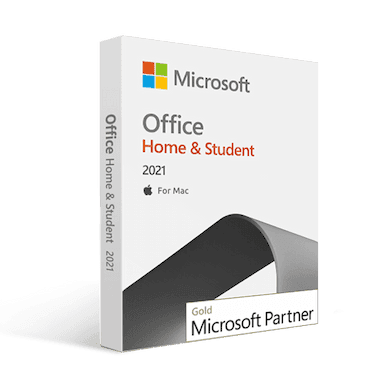
Microsoft Office 2021 Home and Student version are developed for completing the home and study tasks. Along with its application tools, some extra tools are added to this Office suite version. With the improved performance and new features, it is on top of students’ wish lists worldwide. It was released as a successor of the MS Office 2019 Home and Student version.
The Office suite comes with a popular and valuable application tool that helps you complete tasks quickly. Microsoft has developed new features for all of them in Office 2021 Home and Student editions. Let’s check what changes have come on which application:
Word: Word, the official word processor application of Microsoft, got more functional with dark mode and new features. Creating simple and complex documents and sharing them in real-time collaboration with others has become the most straightforward task.
Excel: The spreadsheets of Microsoft have become more organized with the new function, formulas, features, and arrays. This Office edition’s home and student version will boost your calculation capabilities.
PowerPoint: Designing presentation slides has become simpler with new features in slides. Now, you can save your slides as GIFs and share them with others. Moreover, you can rewind the animation slides through the ink replay of the slide animation feature.
Access: Organizing and storing data experience is redefined through the new features added to the MS Access application. Finding and reporting the stored data is simplified, and you can create data entry forms or import-export-transform various data sources.
Publisher: Designing and sharing content over the internet has got easier with Microsoft Publisher. With some addition of new features that allow you to create more completely and productively.
Outlook: The most significant changes have come in MS Outlook. Microsoft has added a translator feature on Outlook that can translate more than 70+ languages. So, reading and understanding emails are much easier now.
Some features have been added to the Microsoft Office Suite 2021 Home and Student version applications. These features have made it easy to use the applications. Have a look at the additional features of Office suite 2021 Home and Student:
Improvement in Performance: All your known Office applications come in Office 2021 Home & Student with improved performance and new features. It will simplify your home and study tasks and make them easier to complete.
Dark Mode: You’ve noticed a dark ribbon and toolbars in previous editions with a bright white document color in MS Word. This edition allows you to use an overall dark mode that helps reduce eye strains.
Watch Your Formulas at a Glance: To make inspecting, auditing, or confirming formula calculations and results in large worksheets more convenient, the Watch window allows you to look at cells across multiple sheets and books in a single pane or window in Excel.
Formula, Function, and Array: With the improvement of the existing formulas, functions, and arrays, Excel sheets are much simpler to use now. The XLOOKUP, XMATCH, and LET functions are added along with the Dynamic array.
Sheet View: This home and student version of Office 2021 allows you to create a customized view of MS Excel worksheets without disrupting others.
Co-author Documents, Sheet, and Slides: The real-time co-authoring feature allows multiple people to edit the same documents, sheets, or slides simultaneously. It has reduced the necessity of sending extra notes or emails to others.
Sketch Style Outline: The Sketch Styled Outlines will give you a casual, hand-drawn look to shapes in your slides, docs, and sheets. You need to go through Format Shape > Line > Sketched style.
Scalable Vector Graphic Format: SVG or Scalable Vector Graphic Format is now supported while saving pictures, charts, and other graphics from documents. This format allows resizing the image without compromising image quality.
Tell me Text Field: The Tell me text field allows you to find your necessary features quickly. Also, you can use this search box to find text, commands, help, and more.
Stock Media Features: Microsoft has added more rich media content to its Creative Content collection, a curated library of stock images, icons, and more that help you express yourself.
Visual Refresh: The visual refresh helps the user to work with a modernized Start experience and newly refreshed tabs in the ribbon. The monoline iconography allows the user to experience a clean, straightforward style.
Turn Slides into Animated GIF: The presentation slides can now be saved as animated GIFs and shared across social media or other digital channels.
Ink Replay of Slide Animation: You can replay or rewind the slide animation to ink to get the drawing effect on presentation slides directly. Also, you can adjust the animation timing to be faster or slower.
Natural Voice in Read Aloud: Read aloud feature gets more natural with the authentic voices. It is excellent for both authors and readers. You have to click on the Read Aloud Button on the Review tab.
Advanced Color Support on Immersive Reader: Now, the immersive reader supports advanced page color. Changing the page color can make text easy to scan with less eye strain.
We provide genuine Microsoft product keys at the lowest price with a money-back and replacement guarantee within 30 days of delivery.
Msckey is a Microsoft-authorized reseller and Partner of product keys. All the product keys available on Msckey are 100% genuine and authentic. As our after-sales support team backs our product keys, we are committed to ensuring you a hassle-free purchase with multiple payment systems. Our 24/7 support team will solve any issues with our delivered product key. Also, we provide a money-back and replacement guarantee of 30 days.
| Operating Systems | Microsoft Windows 10 (64bit & 32bit). Microsoft Windows 11 (64bit & 32bit). |
| Processor | 1.6 GHz, 2-core processor. |
| RAM | 4GB (64-bit), 2GB (32-bit). |
| Graphics | DirectX 10 graphics card for graphics hardware acceleration. |
| Hard Disk Space | 4GB available disk space. |
| Monitor Resolution | 1024 x 768. |
| Additional Requirements | Internet Connection, Microsoft Account. |
Bij McKeyWij verkopen 100% digitale softwarelicentiesleutels. Er is geen fysiek product en er vindt geen fysieke verzending plaats. Lees dit beleid aandachtig door voordat u uw bestelling plaatst.
Alle producten die op Msckey.com worden verkocht, zijn Digitale licentiesleutels worden per e-mail verzonden.Zodra uw betaling is bevestigd, worden uw licentiesleutel(s) naar het e-mailadres gestuurd dat u bij het afrekenen hebt opgegeven.
Als u uw licentiesleutel niet binnen 24 uur na uw bevestigde betaling heeft ontvangen, neem dan contact met ons op via support@msckey.com En we zullen het snel oplossen.
Omdat onze producten digitale licentiesleutels zijn, is ons retourbeleid anders dan voor fysieke producten. Lees het volgende aandachtig door voordat u uw aankoop voltooit.
U kunt een volledige terugbetaling aanvragen. voordat uw licentiesleutel naar u is verzondenAls u na het plaatsen van uw bestelling van gedachten verandert en de sleutel nog niet is geleverd, neem dan zo snel mogelijk contact op met onze klantenservice. Wij zullen uw terugbetaling dan verwerken.
Zodra de licentiesleutel naar uw e-mailadres is verzonden, De bestelling wordt als voltooid beschouwd en is strikt niet-restitueerbaar.Dit geldt ongeacht of de sleutel al dan niet is geactiveerd. Zodra de sleutel is geleverd, is deze in uw bezit en kan deze niet worden geretourneerd zoals een fysiek product.
Zodra een licentiesleutel is geactiveerd of gebruikt op een apparaat of account, is deze onder geen enkele omstandigheid restitueerbaar, zonder uitzonderingen.
Wij staan achter de kwaliteit van onze producten. Als u een sleutel ontvangt die niet werkt of ongeldig is, neem dan contact op met onze klantenservice. binnen 30 dagen na aankoop met de volgende informatie:
We zullen de zaak onderzoeken en, als het probleem aan onze kant wordt bevestigd, u naar eigen inzicht een vervangende sleutel verstrekken of een terugbetaling uitvoeren.
Mocht u vragen hebben over uw bestelling, levering of dit beleid, neem dan gerust contact op met onze klantenservice.
Ons supportteam staat klaar om u te helpen en zal zo snel mogelijk reageren.
Laatst bijgewerkt: juni 2026. Msckey behoudt zich het recht voor dit beleid op elk moment bij te werken. Eventuele wijzigingen worden op deze pagina weergegeven.
Wishlist is empty.

