Licence keys delivered by email, most within 24 hours
Genuine software licences · Secure checkout

Free tool
Is your Microsoft software still supported?
Check end-of-support dates for Windows, Office and Server before you upgrade.
Check nowmsckeyDigital licence key
Windows 11 Home OEM-sleutel
$25.99
$64.98Save $38.99 (60%)
Instant email deliveryYour licence key is emailed to you instantly once your payment is confirmed. No shipping fee.
Faulty key? We replace itOr a full refund if we can'tSecure checkoutCard details never storedActivation guidesStep-by-step install helpEmail supportsupport@msckey.com
Secure payment
Check the edition, version, number of devices and that it supports your operating system before you buy. Not sure? Email us first.
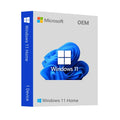
Overview
Ook al zijn de computergeluiden voor mensen vertrouwder geworden – de oormelodieën van de interneteeuw klonken volop. Maar de vraag hier ligt iets anders: het gaat om de onzekerheid over wat er gebeurt met de Windows die u al die tijd hebt gebruikt, nadat deze een renovatie heeft ondergaan. Microsoft heeft het nieuwste besturingssysteem uitgebracht en het valt onder de categorie Windows 11 Home. Een nieuw verfje? Een complete revisie? Soms is het niet te verifiëren, ongeacht of u de techwereld met een vleugje nieuwsgierigheid (en fascinatie) probeert te doorgronden.
Maar maakt u zich geen zorgen meer! Deze handleiding fungeert als uw persoonlijke gids die de mysterieuze trucs van Windows 11 Home voor u ontrafelt. Laat u verrassen door de eigenschappen, ontdek alle vondsten en gebruik het voor een soepele werking zonder problemen tijdens uw computergebruik, en ontdek hoe u de Windows 11 Home OEM-sleutel tegen de laagste prijs bij Msckey kunt krijgen. Pak dus meteen het magische kompas van de virtuele technologieverkenner, en samen duiken we het universum van Windows 11 Home in.
Ontdek de functierijkdom van Windows 11 Home
De lancering van Windows 11 Home op de technologiemarkt heeft uiteenlopende reacties opgeleverd. Het glanzende scherm is slechts de buitenkant van een beest dat nog veel onbekende snufjes bevat.
Een visuele opfrisbeurt
Windows 11 Home springt helder in het oog met een vernieuwde buitenkant. Het Startmenu is het belangrijkste onderdeel en krijgt een fris gezicht met afgeronde hoeken en strakke lijnen. U kunt rekenen op een eenvoudigere en mooiere ervaring!
Directe hulp voor de super-multitasker
Van het ene tabblad naar het andere springen is onhandig. Gelukkig is er in Windows 11 Home Snap Assist waarop u kunt vertrouwen. U kunt nu vensters verplaatsen, van formaat veranderen en ze in verschillende aangepaste indelingen rangschikken. Zo wordt uw schermruimte zonder veel moeite efficiënt benut.
Omarm de kracht van widgets
Hebt u er ooit over nagedacht wat er mogelijk is als er een persoonlijk informatiecentrum op uw bureaublad wordt gecreëerd? Windows 11 Home heeft ingebouwde widgets. Vrijwel direct een weersvoorspelling, actueel nieuws en uw takenlijst op het scherm zien, zijn slechts enkele van de vele voordelen.
De gaming-groove
Voor gamers biedt Windows 11 Home een geweldige ervaring! DirectX 12 Ultimate ontketent het potentieel van de hardware voor verbluffende beelden, terwijl Auto HDR al actief is voor games die HDR ondersteunen, wat de visuele ervaring radicaal verbetert.
Android-ondersteuning
Phone Link krijgt een nieuwe uitrol waardoor het ook met sommige iPhones en met Android-telefoons kan worden gebruikt. Voor deze spannende innovatie hoeft u alleen uw telefoon aan de pc te koppelen, waarna u kunt bellen, sms'en en alle beschikbare apps kunt gebruiken (voor Android-gebruikers, en iMessage voor iPhones).
Dit zijn slechts enkele van de vele functies van Windows 11 Home. Van eenvoudige cosmetische aanpassingen tot verbeterde productiviteits- en entertainmentfuncties: het nieuwe besturingssysteem belooft zijn gebruikers een prettigere en eenvoudigere computerervaring. Houd ons in de gaten om de nieuwe functies van de Windows 11 Home-editie te leren kennen en te ontdekken of dit de editie is die u een glimp laat opvangen van uw volgende computeravontuur!
Wat is er nieuw in Windows 11 Home?
De recente updates van Windows 11 Home gaan niet alleen over een nieuw uiterlijk en aanpassingen aan de interface; ze gaan verder dan dat.
DirectStorage voor gamers
Deze functie, die voorheen alleen beschikbaar was in de Windows 11 Pro-versie, is overgezet naar de Home-versie. DirectStorage doorbreekt de beperking van de traditionele gegevensoverdracht en stuurt texturen rechtstreeks van NVMe-opslagstations naar de GPU. Het resultaat? Aanzienlijk snellere laadtijden en mogelijk een responsievere gameplay bij titels die sterk afhankelijk zijn van gedetailleerde texturen.
Tabbladen in Verkenner
Op de startpagina van Windows 11 is er nu het tabblad in Verkenner, een functie waar ervaren gebruikers al lang om vroegen. Stel u een situatie voor waarin u meerdere tabbladen in één venster kunt gebruiken, in tegenstelling tot vroeger, toen u voortdurend van het ene venster naar het andere moest springen. Dit geeft u de mogelijkheid om bestanden nauwkeurig te beheren en dankzij betere bestandsnavigatie aan meer dan één taak tegelijk te werken.
Efficiëntiemodus in Taakbeheer
Een accu die leegloopt of bronnen die door één programma worden opgeslokt, is iets waar u zich zorgen over zult maken. De nieuwe functie in Taakbeheer, ‘Efficiëntiemodus’, is precies daarvoor bedoeld. Dankzij deze mogelijkheid kunt u processen opsporen die veel energie verbruiken en hun gebruik van bronnen beperken. Met deze tool kunnen laptopaccu's optimaal worden benut en zijn hoge prestaties bij taken zoals gegevensverwerking of multimediaverwerking gegarandeerd.
Verbeteringen aan Windows Subsystem for Linux (WSL)
Oproep aan alle Linux-liefhebbers! WSL is in deze update aanzienlijk verbeterd, zodat het nog stabieler en aantrekkelijker wordt voor ontwikkelaars. Het gaat hier om de kernelupdate, de snellere prestaties van het bestandssysteem en de betere integratie van Windows-ontwikkeltools.
De nieuwe bibliotheek is een van de vele juweeltjes in de nieuwste updates voor Windows 11 Home. Het gaat niet alleen om sneller gamen, sneller bestandsbeheer en betere optimalisatie van bronnen, maar ook om werk op de achtergrond dat iets nieuws en nooit eerder vertoonds naar Home-gebruikers brengt.
Waarom zou u de Windows 11 Home OEM-sleutel bij Msckey kopen?
Hoewel we weten dat Windows 11 Home zeer voordelig voor u is, welke taak u ook uitvoert, kunt u het volledige potentieel pas benutten als u de authentieke OEM-sleutel voor uw apparaat aanschaft. Daar komt Msckey in beeld! Msckey heeft de officiële licentie voor de doorverkoop van OEM-sleutels en digitale licenties voor Microsoft-software.
Nu vraagt u zich misschien af waarom u voor een externe website zou kiezen in plaats van de officiële pagina van Microsoft. Het antwoord is eenvoudig! Wij bieden de Windows 11 Home OEM-sleutel aan tegen een lagere prijs dan zij. Wacht dus niet langer en profiteer vandaag nog van uw aanbieding!
Wat u bij uw aankoop krijgt
Msckey zorgt bij elke aankoop voor eersteklas klantenservice en een soepele software-ervaring. Laten we eens kijken wat u nog meer krijgt bij de aankoop van de Windows 11 Home OEM-sleutel -
- Online activering in het activeringsmenu, nadat de installatie is voltooid
- Kan niet worden gebruikt voor een upgrade vanaf eerdere Windows-versies en werkt niet op “Windows 11 Pro N”
- Wordt niet aan uw Microsoft-account gekoppeld
- Kan niet opnieuw worden geactiveerd/overgezet naar een andere computer
- Directe levering
- Activeringsinstructies in de e-mail bij de sleutel
- Permanente activering
- Regio: wereldwijd
- Meertalig
- Updates mogelijk
- De factuur wordt automatisch aangemaakt bij het plaatsen van een bestelling.
- Ondersteuning via livechat of e-mail
Maakt u zich dus geen zorgen als u problemen ondervindt bij de installatie en activering van Windows 11 Home, want wij staan altijd voor u klaar om u te helpen!
Systeemvereisten
- CPU: 1 gigahertz (GHz) of sneller met 2 of meer kernen op een compatibele 64-bits processor of System on a Chip (SoC)
- RAM: 4GB
- HDD: Windows 11 Home vereist minimaal 64 GB opslagruimte. Voor toekomstige updates en installaties kan meer nodig zijn.
- Opslag: 64GB of meer
- Systeemfirmware: zeg hallo tegen UEFI (Unified Extensible Firmware Interface)! Deze moderne firmware vervangt het oudere BIOS-systeem en is een vereiste om Windows 11 Home te kunnen gebruiken.
- TPM: Trusted Platform Module (TPM) versie 2.0
- Grafische kaart: Compatibel met DirectX 12 of hoger met WDDM 2.0-stuurprogramma
- Beeldscherm: HD-scherm (720p) met een diagonaal van meer dan 9 inch, 8 bits per kleurkanaal
- Internet: voor de eerste installatie van Windows 11 Home zijn een internetverbinding en een Microsoft-account verplicht.`
How it works
Pay securelyCheck out with your card or PayPal. Your card details are never stored by Msckey.
Get your key by emailYour licence key is sent to your checkout email, usually within 1 to 24 hours of payment confirmation.
Install and activateDownload the software and enter your key. Our guides walk you through every step. Activation guides →
Frequently asked questions
How will I receive my licence key?
We email your licence key to the address you enter at checkout. Nothing is shipped physically, and there is no shipping fee.
How long does delivery take?
Most orders arrive within 1 to 24 hours of payment confirmation. Delivery can take longer if a payment needs a security review. If your key hasn't arrived 24 hours after payment confirmation, email support@msckey.com with your order number.
What if my key doesn't work?
We replace faulty keys. If we can't supply a working replacement, you get a full refund. Email support@msckey.com with your order number, a screenshot of the activation error and your system details.
Can I cancel my order?
Yes, for a full refund, as long as your key hasn't been delivered yet. Once a key is delivered it can't be returned for a change-of-mind refund. See our Shipping & Returns policy.
Which payment methods can I use?
We accept major credit and debit cards and PayPal. All prices are in USD. See our Payment page for details.
You may also like

My Wishlist
Wishlist is empty.
Compare
Shopping cart