Licence keys delivered by email, most within 24 hours
Genuine software licences · Secure checkout

Free tool
Is your Microsoft software still supported?
Check end-of-support dates for Windows, Office and Server before you upgrade.
Check nowmsckeyDigital licence key
Microsoft Office Home & Student 2019 OEM – Phone activation
$45.59
$113.98Save $68.39 (60%)
Instant email deliveryYour licence key is emailed to you instantly once your payment is confirmed. No shipping fee.
Faulty key? We replace itOr a full refund if we can'tSecure checkoutCard details never storedActivation guidesStep-by-step install helpEmail supportsupport@msckey.com
Secure payment
Check the edition, version, number of devices and that it supports your operating system before you buy. Not sure? Email us first.
Overview
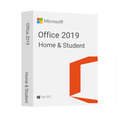
Microsoft Office 2019 Home and Student is an office suite for students and home users. It includes the core applications of Word, Excel, PowerPoint, and OneNote. Office 2019 Home and Student is a one-time purchase with classic versions of Office apps installed on one PC or Mac for use at home or school.
What’s new in office 2019?
- Add visual impact
- Break the language barrier
- LaTeX equation support
- Add motion with Morph
- Find what you're looking for with Zoom
- Run a slide show with your digital pen
- New functions
- Inking is where it's at
- Visualize your data with new charts
- Large Number (bigint) data type
- Easily link tasks
- Task progress at a glance
- Kick-start your diagrams
- Bring ideas to life
- One-click fixes for accessibility issues
- Helpful sounds improve accessibility
System requirement
- 1.6 GHz or faster, 2-core processor
- 2.0 GHz or faster is recommended for Skype for Business
- 4 GB RAM for 64-bit; 2 GB RAM for 32-bit
- 4.0 GB free disk space
- 1280 x 768 or higher screen resolution
- Windows 10, Windows Server 2019
- Graphics hardware acceleration requires DirectX 9 or later, with WDDM 2.0 or higher for Windows 10
Phone Activation Process
- setup.office.com is unable to activate this product. Download URLs for several languages will be included in the email that contains the key.
- Run any Office app after downloading and installing.
- Launch Office to launch the activation wizard.
- In order to use Microsoft office telephone activation, select "I wish to activate the software via telephone."
- From the drop-down menu, choose your county or region. By doing this, you'll be able to activate your MS phone without having to dial the number.
- Choose "I wish to call in to activate the software."
- From the drop-down menu, choose your county or region.
- By doing this, you'll be able to activate your MS phone without having to dial the number.
How it works
Pay securelyCheck out with your card or PayPal. Your card details are never stored by Msckey.
Get your key by emailYour licence key is sent to your checkout email, usually within 1 to 24 hours of payment confirmation.
Install and activateDownload the software and enter your key. Our guides walk you through every step. Activation guides →
Frequently asked questions
How will I receive my licence key?
We email your licence key to the address you enter at checkout. Nothing is shipped physically, and there is no shipping fee.
How long does delivery take?
Most orders arrive within 1 to 24 hours of payment confirmation. Delivery can take longer if a payment needs a security review. If your key hasn't arrived 24 hours after payment confirmation, email support@msckey.com with your order number.
What if my key doesn't work?
We replace faulty keys. If we can't supply a working replacement, you get a full refund. Email support@msckey.com with your order number, a screenshot of the activation error and your system details.
Can I cancel my order?
Yes, for a full refund, as long as your key hasn't been delivered yet. Once a key is delivered it can't be returned for a change-of-mind refund. See our Shipping & Returns policy.
Which payment methods can I use?
We accept major credit and debit cards and PayPal. All prices are in USD. See our Payment page for details.
You may also like

La mia lista dei desideri
La lista dei desideri è vuota.
Confronta
Carrello