Licence keys delivered by email, most within 24 hours
Genuine software licences · Secure checkout

Free tool
Is your Microsoft software still supported?
Check end-of-support dates for Windows, Office and Server before you upgrade.
Check nowmsckeyDigital licence key
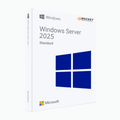
Windows Server 2025 Standard
$141.00
$352.50Save $211.50 (60%)
Instant email deliveryYour licence key is emailed to you instantly once your payment is confirmed. No shipping fee.
Faulty key? We replace itOr a full refund if we can'tSecure checkoutCard details never storedActivation guidesStep-by-step install helpEmail supportsupport@msckey.com
Secure payment
Check the edition, version, number of devices and that it supports your operating system before you buy. Not sure? Email us first.
Overview
Licence Microsoft Windows Server 2025 Standard - Achat et téléchargement sur Msckey
Windows Server 2025 Standard est la toute dernière technologie serveur conçue pour répondre aux besoins des environnements informatiques et des organisations modernes de petite et moyenne taille. Elle mise sur une sécurité solide, des performances efficaces et une grande flexibilité de travail pour les professionnels et les organisations. Ce nouveau serveur propose une mise en réseau simplifiée, un stockage rapide, une informatique prête pour l'IA et des capacités de cloud hybride qui répondent aux attentes des organisations, des ingénieurs et des analystes de données. Achetez votre licence Windows Server 2025 Standard à un prix abordable chez Msckey et simplifiez la gestion de votre informatique avec ce serveur performant.
Principales améliorations de Windows Server 2025 Standard
Windows Server 2025 Standard apporte plusieurs améliorations clés qui renforcent son efficacité pour les professionnels. Mise en réseau simplifiée, stockage plus rapide et capacités hybrides : le nouveau Windows Server 2025 a tout pour plaire. Voyons ces améliorations :
Sécurité améliorée
Pour prévenir tous types de cyberattaques et de menaces, Windows Server 2025 Standard offre une sécurité au niveau matériel et logiciel. Il intègre également la nouvelle génération d'Active Directory pour renforcer la sécurité et l'évolutivité. Avec Server 2025, les utilisateurs peuvent créer une base de référence de sécurité sur mesure et activer la protection contre les dérives dès le départ.
Capacités hybrides
Si vous recherchez un serveur puissant qui fonctionne dans des environnements hybrides, cloud et edge, Windows Server 2025 Standard est le choix idéal. Ce serveur se connecte facilement à Azure Arc et vous permet de travailler aussi bien sur site que dans le cloud. Vous bénéficiez ainsi des capacités d'Azure pour vos serveurs sur site.
Des performances optimales
La nouvelle version du serveur offre des performances optimales grâce à une mise en réseau rapide et à un système de stockage de grande capacité. Sa fonctionnalité de hotpatching à chaud réduit les temps d'arrêt du serveur ; elle permet aussi le partitionnement GPU et améliore le stockage flash, ce qui fait de Windows Server 2025 une meilleure plateforme pour SQL Server.
Une plateforme tournée vers l'avenir
Windows Server 2025 Standard offre un processus simple de mise à niveau et de mise à l'échelle, ainsi qu'une meilleure compatibilité des applications. Les utilisateurs profitent d'une interface cohérente entre client et serveur, ainsi que d'autres fonctionnalités comme le Bluetooth et le Wi-Fi.
Fonctionnalités essentielles de Server 2025 Standard
Windows Server 2025 Standard propose plusieurs fonctionnalités essentielles : une sécurité puissante, la gestion multicloud, le Hotpatching de Windows Server, et plus encore. Voici le détail de ces fonctionnalités :
Gestion hybride et multicloud
Le nouveau Windows Server intègre la gestion hybride et multicloud pour améliorer la productivité. L'intégration avec Azure Arc apporte les capacités d'Azure aux installations sur site. La mise en réseau définie par logiciel (SDN) facilite la connectivité entre sites et offre la flexibilité nécessaire pour mobiliser des ressources issues de différents environnements.
Une sécurité puissante
Windows Server 2025 Standard renforce la sécurité en protégeant les données des utilisateurs et la gestion informatique. Il comprend le protocole Server Message Block (SMB) avec une protection renforcée, la prise en charge des clés Kerberos pour les comptes locaux et un Active Directory moderne qui offre une sécurité de premier ordre. Par ailleurs, le Hotpatching est disponible sur les éditions Windows Server 2025 Standard et Datacenter et réduit les temps d'arrêt lors des mises à jour de sécurité. En achetant Windows Server 2025 Standard, vous obtenez donc un serveur robuste et riche en fonctionnalités de sécurité.
Un Active Directory moderne
Windows Server 2025 intègre une architecture Active Directory moderne qui prend en charge de très grandes bases de données avec des pages de 32k, contre des pages de 8k auparavant. L'Active Directory moderne bénéficie ainsi de meilleures performances de réplication et convient aux besoins d'authentification les plus exigeants.
Hotpatching de Windows Server
Le Hotpatching de Windows Server ne nécessite aucun redémarrage du système et est disponible pour les éditions Standard et Datacenter. Il contribue à réduire les temps d'arrêt et à améliorer la disponibilité du serveur. Cette fonctionnalité est disponible avec Azure Arc et fournit les mises à jour de sécurité critiques.
Hyper-V et intégration de l'IA
Windows Server 2025 intègre Hyper-V et prend en charge la migration dynamique avec des partitions GPU, les GPU étant partagés entre plusieurs machines virtuelles. Grâce à cette amélioration, vous bénéficiez d'une meilleure gestion des VM, des performances et de la répartition des ressources. Par ailleurs, l'intégration de l'IA optimise la virtualisation et les ressources de calcul.
Système réseau avancé
Windows Server Standard 2025 propose une mise en réseau avancée pour un meilleur contrôle du trafic, la mise en réseau définie par logiciel, Server Message Block et d'autres outils pour améliorer la sécurité. Un Hyper-V amélioré simplifie en outre la migration dynamique grâce à l'optimisation et augmente les performances via les clusters multisites.
Guide rapide : du téléchargement à l'activation de Windows Server Standard 2025
Pour télécharger, installer et activer Windows Server 2025 Standard, suivez notre guide rapide ci-dessous :
- Téléchargez l'ISO de Windows Server 2025 depuis ce lien
- Sélectionnez ensuite Windows Server 2025 Standard, téléchargez le fichier image ISO sur un DVD ou une clé USB et lancez l'installation.
- Une fois l'installation terminée, ouvrez l'Invite de commandes Windows et saisissez la commande suivante : dism /online /set-edition:serverstandard /AcceptEula /ProductKey: XXXXX-XXXXX-XXXXX-XXXXX-XXXXX. (remplacez les X par la clé de produit achetée chez Msckey)
- Appuyez ensuite sur Entrée pour terminer le processus et utilisez Windows Server 2025 Standard sur votre appareil.
Pourquoi choisir Msckey pour acheter vos licences logicielles ?
Msckey est depuis longtemps un partenaire et revendeur vérifié de Microsoft. Obtenez votre clé de licence Windows Server 2025 Standard au meilleur prix chez Msckey. Après l'achat, vous bénéficiez des avantages suivants :
- Recevez un lien de téléchargement officiel rapidement après avoir passé commande.
- Obtenez une clé de licence originale dans notre boutique.
- Cette clé de licence est un achat unique et s'utilise de façon permanente.
- Instructions complètes de téléchargement, d'installation et d'activation dans l'e-mail de livraison.
- Facture d'achat.
- Assistance disponible par chat en direct ou par e-mail.
Remarques importantes
- Une clé originale autorisée par Microsoft.
- Recevez votre clé instantanément après le paiement.
- Une version complète sans restrictions.
- La clé de produit ne s'applique qu'à une version spécifique.
- Le produit activé peut recevoir les mises à jour.
- Nous vous déconseillons vivement d'utiliser des versions piratées pour l'activation.
Configuration requise
Pour garantir le fonctionnement optimal de Windows Server 2025 Standard, votre appareil doit répondre à la configuration requise suivante. À défaut, vous risquez de ne pas pouvoir installer la dernière version de Windows Server. Voici la configuration requise :
Processeur : processeur 64 bits de 1,4 GHz
RAM : au moins 512 Mo pour Server Core ; 2 Go pour Server avec Expérience de bureau, 4 Go recommandés.
Espace disque : au moins 32 Go d'espace sur le disque dur
Réseau : carte Ethernet 1 gigabit par seconde
Écran : Super VGA (1024 x 768) ou résolution supérieure
Autres exigences :
- Lecteur de DVD
- Système et microprogramme basés sur UEFI 2.3.1c
- TPM
- Souris et clavier Microsoft
- Connexion Internet
How it works
Pay securelyCheck out with your card or PayPal. Your card details are never stored by Msckey.
Get your key by emailYour licence key is sent to your checkout email, usually within 1 to 24 hours of payment confirmation.
Install and activateDownload the software and enter your key. Our guides walk you through every step. Activation guides →
Frequently asked questions
How will I receive my licence key?
We email your licence key to the address you enter at checkout. Nothing is shipped physically, and there is no shipping fee.
How long does delivery take?
Most orders arrive within 1 to 24 hours of payment confirmation. Delivery can take longer if a payment needs a security review. If your key hasn't arrived 24 hours after payment confirmation, email support@msckey.com with your order number.
What if my key doesn't work?
We replace faulty keys. If we can't supply a working replacement, you get a full refund. Email support@msckey.com with your order number, a screenshot of the activation error and your system details.
Can I cancel my order?
Yes, for a full refund, as long as your key hasn't been delivered yet. Once a key is delivered it can't be returned for a change-of-mind refund. See our Shipping & Returns policy.
Which payment methods can I use?
We accept major credit and debit cards and PayPal. All prices are in USD. See our Payment page for details.
You may also like

Ma liste de souhaits
Votre liste de souhaits est vide.
Comparer
Panier