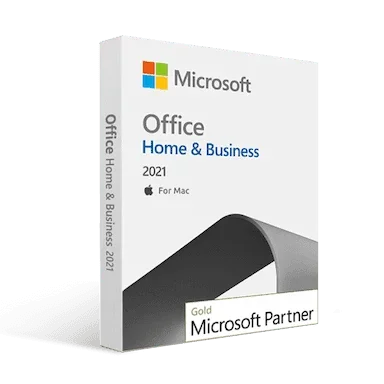
Buy Microsoft Office 2021 Home and Business License Key for macOS
Microsoft released Office 2021 Home and Business Mac edition on 5th October 2021. This edition was specially designed for families and small businesses. The new enhancements of Microsoft Home and Business Office Suite 2021 include various new features that may help you to quickly and easily complete your tasks. Also, the Microsoft Office 2021 Home and Business edition for macOS has boosted teamwork.
Microsoft Office 2021 Home and Business, the Finest ever Office Suite for macOS
Over the last three decades, Microsoft has set a new standard of Office Suites, and Microsoft Office 2021 Home and Business is one of the latest additions. It has taken your task-completing skills, creativity, and productivity to the next level. Also, it is the finest ever Office Suite offered by Microsoft for its interface and accessibility.
Simplify Your Tasks
Your tasks are now simplified with the enhancements and features included in Microsoft Office 2021 Home and Business edition for macOS. You can now work with your team members on the same document, sheets, and slides. This feature will simplify your team’s tasks as well as individual tasks.
Get Creative
The new features of Microsoft PowerPoint and Publisher will help you to get your tasks complete in a creative way. Creating presentation slides and designing canvas of Microsoft Publisher is more creative in macOS with Office 2021 Home and Business.
Improve Productivity
Take your productivity to a new level with Office 2021 Home and Business macOS edition. Organized tasks and task lists can make it easy to manage and control your task with ease. And you know this can improve your productivity.
Revisualized Interface of Application
The all-new Microsoft Office applications of Office 2021 Home and Office macOS edition have an integrated interface that makes it comfortable for your eye. Also, the interface supports dark mode, which enables you to work at a lower brightness level.
Cloud-Friendly
Microsoft has developed Office 2021 applications as cloud-friendly. It means you can save your work in the cloud directory. Any changes made to the cloud-saved document will be saved instantly on the cloud. Also, it makes it easy to find and access your documents, presentation slides, and Excel worksheets through the cloud directory.
What’s New in the Applications of Microsoft Office 2021 Home and Business Retail Key for Mac
Microsoft always tries to do new things on its releases; the Office 2021 Home and Business is no exception. The latest Office suite comes with some new features with upgradation of the existing ones. Have a look at the new addition and upgrades in Microsoft Office 2021 Home and Business edition:
Microsoft Word
-
Line Focus: This feature allows the user to focus on multiple lines simultaneously.
-
Co-author Documents: The documents can now be edited with multiple individuals simultaneously, which is a helpful feature for improving teamwork skills.
-
Comments and Suggestions: You can now comment and suggest edits to others in Word documents. Though the comment feature was available in the previous edition, this one is enhanced.
Microsoft Excel
-
Functions: Some functions have been added in Microsoft Excel for productivity and organizing data. XLOOKUP and XMATCH are two functions added to Microsoft Office 2021 Home and Office for mac edition. These two are used to find specific data from Excel worksheets. Another addition is the LET function, which helps you store intermediate calculations or values and define formulas' names.
-
Dynamic Arrays: Calculations through excel worksheets are much more manageable with six new dynamic arrays: FILTER, SORT, SORTBY, UNIQUE, and RANDARRAY.
-
Sheet View: You can now create a customized view of your Excel worksheets without disrupting others.
-
Accessibility Ribbon: You can quickly find all your necessary tools from the accessibility ribbon of Microsoft Excel.
Microsoft PowerPoint
-
Recording Slide Shows: PowerPoint of Microsoft Office 2021 Home & Business support various recording options, like presenter video recording, laser pointer recording, and ink recording.
-
Ink Replay: You can replay and rewind animation to ink in your presentation slides to get the drawing effect.
-
Link to a Slide: Share your slides with your co-workers with the direct link to your presentation slides.
-
Dynamic Arrays: Calculations through excel worksheets are much more manageable with six new dynamic arrays: FILTER, SORT, SORTBY, UNIQUE, and RANDARRAY.
-
Sheet View: You can now create a customized view of your Excel worksheets without disrupting others.
-
Accessibility Ribbon: You can quickly find all your necessary tools from the accessibility ribbon of Microsoft Excel.
Microsoft Outlook
-
Instant Search: You can now instantly search for important messages from your mailbox and get instant access.
-
Translator: Microsoft Office Home and Business 2021 enables you to translate your messages into 70+ languages.
Microsoft Access
-
Refresh, Relink, or Remove Linked Tables: You can now manage all your data sources and linked tables of the Access database with enhanced Linked Table Manager.
-
Date/Time Extended data type: Microsoft has implemented the SQL DteTime2 data type into Access, which enhances syntax compatibility with SQL to increase the accuracy of databases.
-
Rearrange Tabs: You can now rearrange the Access tabs to have a clear view of the active tab and drag them to rearrange. Also, this feature enables you to close the database objects with a single click.
Microsoft Publisher
-
Visual Refresh: You can now work with a modernized start experience and newly refreshed tabs in the tools ribbon. This feature is available on every Microsoft Office application.
-
Pick the Perfect Color: Pick your color from the color input field of Microsoft Office applications. It has reduced the time to convert Hexadecimal color values into RGB values.
OneNote
Quick Search: Through the quick search feature of OneNote, you can now quickly find your necessary notes from the list.
ClipChamp
Clipchamp is the newest addition to Microsoft Office 2021 Home and Business. You can now create and edit beautiful videos using Clipchamp. It has robust tools and an extensive stock library of contents.
Why is Msckey the Best Place to Buy Microsoft Office 2021 Home and Business Retail Activation Key for Mac?
Trusted by many, the Msckey is where you can find genuine product activation or license keys at an affordable price. We achieved our customer’s trust for many reasons, especially our clarity with the product and purchase. The following reasons will be enough for you to trust us:
Best Price: Msckey provides Microsoft-authorized genuine product license keys at an affordable price. Purchasing a product key from Msckey saves your budget.
Fraud Protected: Msckey is a Microsoft Verified Partner & Reseller that provides genuine product keys to its customers. As a verified partner of Microsoft, we’re 100% fraud protected and 100% authentic.
100% Secured: The payment methods used in Msckey are 100% secured, and we do not save any information about your wallet. We accept PayPal, Visa, Mastercard, American Express, Discover, JCB, Diners Club, China UnionPay, and other debit-credit cards. We also accept Bitcoin and other Cryptos.
Money-Back Guarantee: You’ll get a 30-day money-back and replacement guarantee after purchasing the product key from us. It means you get your money back or replace your product key if there are any issues with the product key delivered by us.
Instant Delivery: From Msckey, you’ll get your product key through an email immediately after making the payment. Also, we’ll provide you with a guide to using the product key on your desired product.
Microsoft Official Genuine Product Key: All the available product keys in Msckey are Microsoft Official genuine product keys.
Upgradable Products: Msckey’s product keys keep the device upgradable. It means you can regularly upgrade your application when there is any official update available after using our product key on your application.
Complete Guide to Download, Installation, and Activation: After making the payment, you will get a complete guide to the download, installation, and activation process, along with the product key, through an email.
Dedicated After-sales Service 24/7: All your purchase is backed by our 24/7 dedicated after-sales service. Also, the support teams of Msckey are committed to resolving your purchase or product-related issues.
So, isn’t it time to get a cheap Microsoft Office 2021 Home and Business retail key for your mac devices with a 30-day money-back or replacement guarantee from Msckey?
System Requirements
| Processor |
macOS, Intel, Apple Silicon |
| Operating System |
Mac OS for Mac. |
| Memory |
Minimum 4 GB RAM required for Mac. |
| Hard Disk Space |
Minimum 10 GB for Mac. |
| Display |
1280 x 800 for Mac. |
| Additional Requirements |
Internet access, Microsoft Account |