Licence keys delivered by email, most within 24 hours
Genuine software licences · Secure checkout

Free tool
Is your Microsoft software still supported?
Check end-of-support dates for Windows, Office and Server before you upgrade.
Check nowMicrosoftDigital licence key
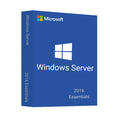
Windows Server Essentials 2016
$49.00
$122.50Save $73.50 (60%)
Instant email deliveryYour licence key is emailed to you instantly once your payment is confirmed. No shipping fee.
Faulty key? We replace itOr a full refund if we can'tSecure checkoutCard details never storedActivation guidesStep-by-step install helpEmail supportsupport@msckey.com
Secure payment
Check the edition, version, number of devices and that it supports your operating system before you buy. Not sure? Email us first.
Overview
BUY WINDOWS SERVER ESSENTIALS 2016 EDITION LICENSE KEY
Have you ever contemplated a similar situation where loads of emails surround you, deadlines are staring at you, and your colleagues really need the current information on marketing materials? These are the computer headaches that can frustrate small firms alone the least. We bring you the remedy for this issue, Microsoft Windows Server 2016 Essentials. With all the cost and work efficiency, Windows Server Essentials 2016 is a crutch for an IT management tool that covers every effort of the search for success.
Therefore, this will help you discover the difference Windows Server 2016 Essentials can make to your small business. It will help you concentrate on what matters: passion and achievements.
What is Windows Server 2016 Essentials?
Even though newer versions of the Windows Server Essentials 2016 cause Microsoft to cease their services and updates towards it, many users still prefer using this OS as it's one of the most stable and easy-to-use UI. So, to put it simply, Server 2016 Essentials is a server operating system designed for small businesses with up to 25 users and 50 devices. It aimed to simplify IT management by bundling core server functionalities into a single, user-friendly package. Think of it as a central hub that streamlines tasks like:
- File Sharing: It provides a secure and organized way for your team to access and collaborate on important documents.
- User Management: You can easily create, manage, and control user accounts and access permissions.
- Data Security: It offers built-in features to protect your sensitive business information.
- Remote Access: Your employees can securely access files and applications from anywhere with an internet connection.
Key Features of Windows Server Essentials 2016
As we already mentioned, since the newer versions came, Microsoft discontinued reaching out to their older Server Operating Systems. However, Windows Server 2016 Essentials still has plenty of useful features that's more than enough to support you if you're operating a small to medium business consisting of up to 25 users and 50 devices. So, let's take a look at some of the key features you might see in the Windows Server 2016 Essentials edition.
Empowering User and Device Management
- Centralized User Accounts: Say goodbye to scattered login credentials. Windows Server Essentials 2016 offers the functionality of a single console that can be used to manage, create, and control user accounts for the entire team of your company. Users can have straightforward permission assignments and access rights configurations that will allow the permitted personnel only to access sensitive data.
- Simplified Device Management: Adding and managing company laptops, desktops, or even mobile devices have become more manageable. This centralized approach will help you maintain security and ensure devices adhere to company policies.
Secure File Sharing and Collaboration
- Organized File Storage: No more hunting for lost files across individual computers. The Server acts as a central repository for all your business documents, fostering collaboration and ensuring everyone can access the latest versions.
- Granular Access Control: You can define user permissions for specific folders and files, restricting access to sensitive information and preventing accidental data breaches.
Enhanced Security Features
- Built-in Protection: Windows Defender provides real-time protection against malware and other online threats, safeguarding your Server and company data from malicious attacks.
- Automatic Backups: Schedule automatic backups to a designated storage location, ensuring a safety net in case of accidental data loss or hardware failure. (Note: For this, you'll need additional storage solutions).
Scalability and Cloud Integration
- Right-sized for Small Businesses: With support for up to 25 users and 50 devices, Windows Server 2016 Essentials is specifically designed for smaller teams.
- Cloud Integration Options: Connecting to Azure services like Azure Site Recovery will open doors for disaster recovery solutions. Additionally, Azure Virtual Network integration will allow you to extend your on-premises network to the cloud, potentially enhancing scalability and remote access capabilities (additional configurations will be necessary).
Improved Management Tools
- PowerShell 5.0: This powerful scripting language facilitates the automation of routine server management tasks, saving valuable IT time and reducing the potential for human error.
- User-friendly Interface: The Server offers a simplified interface designed to be manageable even for users without extensive IT expertise.
What Made Windows Server Essentials 2016 Stand Out Among the Others?
Windows Server 2016 Essentials doesn't have anything 'new' added to it that's entirely novel for it. However, it did get a few enhancements that are going to make you more inclined towards this Server than the other versions of Windows Server. Let us add a few examples to make it easier for you to understand:
Support for Larger Deployments
Compared to previous versions, Windows Server 2016 Essentials offers increased scalability. It will allow support for multiple domains and domain controllers, potentially catering to small businesses that are outgrowing the limitations of earlier Essentials versions.
Storage Replica
This feature, introduced in Windows Server 2016, enables block-level replication between servers for disaster recovery purposes. While not unique to Essentials, it's a valuable addition for small businesses concerned about data loss on their primary Server.
Focus on Small Business Needs
While features like Azure integration or Storage Replica are commonplace today, you'll find this feature to be a new addition to Windows Server 2016 Essentials. It is an indispensable advancement that makes cloud-based DR or data replication easily available even for small businesses without much IT resources in place.
First of all, Server Essentials 2016 is designed to ease IT management for small businesses by giving them a user-friendly interface and extending the functionality of the device. In addition, it enables integration of some cloud services that were becoming more popular around that time. Nevertheless, to get the best out of the latest server developments, it is better to check the new version of Windows Server or to get Microsoft's recommendations for cloud-based options like Microsoft 365. You'll find them easily in Msckey here!
Why Buy Windows Server Essentials 2016 License Key from Msckey?
You'll definitely need an authentic licence Windows Server 2016 Essentials if you want to use it properly. That's where Msckey steps in! Msckey has the official license for reselling authentic Microsoft software digital licenses.
You might be wondering why you should go for a third-party site instead of Microsoft's official page. We'll guarantee you -
- Best Price
- 100% fraud protection
- Payment information secured
- 30 days replacement warranty
- Instant delivery
- Microsoft official genuine product key
- Upgradable products
- Complete Guide to download, install, and activate
- Dedicated after-sales service 24/7
We are offering the Windows Server 2016 Essentials license key at a cheaper price than theirs. So, don't wait for long—take your offer today!
Things You'll be Getting with the Purchase
Msckey ensures top-class customer support and a smooth software experience with every purchase you made. Let's take a look at what other stuff you'll be getting with the purchase -
- The authentic digital software license for a lifetime in one PC
- Windows Server 2016 Essentials ISO download file
- Guidelines for activating the software
- Customer support contact details (in case you face any problems)
So, worry not if you encounter any obstacles during the installation and activation of Windows Server 2016 Essentials—we're here to support you at any time!
System Requirements
To set up Windows Server Essentials 2016 on your device, you'll need to ensure some of the basic requirements. Let's take a look at the minimum system requirements you might need, along with a few recommendations to improve your experience!
- Processor: 4 GHz 64-bit processor (compatible with x64 instruction set, NX and DEP support, CMPXCHG16b, LAHF/SAHF, and PrefetchW). However, we recommend you to have a 3.1 GHz or faster multi-core 64-bit processor.
- Memory (RAM): 512 MB (for Server Core installation) or 2 GB (for Server with Desktop Experience). But we recommend you have 16 GB RAM installed in your device for a smoother and faster experience. While not strictly required, using ECC RAM is highly recommended for physical server deployments to improve data integrity and reduce the risk of memory errors.
- HDD: At least 32 GB of available storage space with a minimum of 160GB hard disk. You can have as much storage as you might need; that is, the ROM storage depends on your usage.
- Network: Gigabit Ethernet adapter (10/100/1000 Mbps)
- Graphics: 1024 x 768 (Super VGA) or higher resolution
Additional Considerations: A DVD drive is necessary to install the operating system from a DVD. Moreover, Windows Server 2016 Essentials supports various client operating systems, including Windows 8.1, Windows 8, Windows 7, and specific macOS versions. It's important to verify compatibility with your specific client devices.
How it works
Pay securelyCheck out with your card or PayPal. Your card details are never stored by Msckey.
Get your key by emailYour licence key is sent to your checkout email, usually within 1 to 24 hours of payment confirmation.
Install and activateDownload the software and enter your key. Our guides walk you through every step. Activation guides →
Frequently asked questions
How will I receive my licence key?
We email your licence key to the address you enter at checkout. Nothing is shipped physically, and there is no shipping fee.
How long does delivery take?
Most orders arrive within 1 to 24 hours of payment confirmation. Delivery can take longer if a payment needs a security review. If your key hasn't arrived 24 hours after payment confirmation, email support@msckey.com with your order number.
What if my key doesn't work?
We replace faulty keys. If we can't supply a working replacement, you get a full refund. Email support@msckey.com with your order number, a screenshot of the activation error and your system details.
Can I cancel my order?
Yes, for a full refund, as long as your key hasn't been delivered yet. Once a key is delivered it can't be returned for a change-of-mind refund. See our Shipping & Returns policy.
Which payment methods can I use?
We accept major credit and debit cards and PayPal. All prices are in USD. See our Payment page for details.
You may also like

My Wishlist
Wishlist is empty.
Compare
Shopping cart