Licence keys delivered by email, most within 24 hours
Genuine software licences · Secure checkout

Free tool
Is your Microsoft software still supported?
Check end-of-support dates for Windows, Office and Server before you upgrade.
Check nowmsckeyDigital licence key
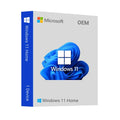
Windows 11 Home OEM Key
$25.99
$64.98Save $38.99 (60%)
Instant email deliveryYour licence key is emailed to you instantly once your payment is confirmed. No shipping fee.
Faulty key? We replace itOr a full refund if we can'tSecure checkoutCard details never storedActivation guidesStep-by-step install helpEmail supportsupport@msckey.com
Secure payment
Check the edition, version, number of devices and that it supports your operating system before you buy. Not sure? Email us first.
Overview
Even though the computer bells became more familiar to the people – internet century ear-melodies were on the air. But the question here kind of varies, and it is about the uncertainty on what happens next to the Windows you had all this time to use after it undergoes a renovation. Microsoft is the latest operating system and it comes under the Windows 11 Home category. A repaint? A complete overhaul? At times it is non-verifiable, regardless of whether you endeavor to figure out the tech world with hints of curiosity (attraction as well).
But fret no more! This manual acts as a personal serving agent that will present you, unraveling the mysterious tricks of Windows 11 Home. Be ready to be surprised by its attributes, pick out all its brainchilds and use it for a smooth operation without any troubles on your computing experience, and how you can get Windows 11 Home OEM key at cheapest price on Msckey. Therefore, the next moment, grab the magic compass of virtual, technology explorer, and with me we will dive into the universe of Windows 11 Home.
Unveil the Feature Frenzy of Windows 11 Home
The launching of the Windows 11 Home in the technical market has brought with it various reactions. The shiny screen is only the surface of the beast that contains a lot of not yet known goodies.
A Visual Refresh
Windows 11 Home jumps brightly with a revamped facade. The Start menu is the key spot which gains its bright face by using rounded corners and straight lines. Waiting for an easier and beautiful journey here!
Instant Assist for The Super-Multitasker
Hopping from one tab to another is inconvenient. However, fortunately, there is Snap Assist in Windows 11 Home you can rely on. Now you are able to move and resize windows around and arrange them into various adjusted layouts. Thus, your screen space is efficiently used with no much effort.
Embrace the Widget Power
Do you ever think about the possibilities if there will be a personalized information hub created on your desktop? Windows 11 Home has the Widgets built in it. Being able to get a weather forecast, news up-to-date, and your to-do list almost immediately, all displayed on screen, are just a few of the many benefits.
The Gaming Groove
To gamers, Windows 11 Home will give an awesome experience! DirectX 12 Ultimate unleashes the potential of the hardware for amazing visuals while Auto HDR is already active for HDR-supported games which radically improves the visual experience.
Android Assistance
Phone Link undergoes a new rollout that allows it to be used on some iPhones as well as with android phones. For the duration of this exciting invention, all you need is your phone to be paired with the PC and you can now talk, text, and use any of the available applications (for Android users and iMessage for iPhones).
These are the ones among many features of Windows 11 Home. From a simple cosmetic to an improved productivity and entertainment features, the new OS promises to give its users a pleasant and simpler computing experience. Keep your eyes on us to know the new features of Windows 11 Home edition and find out if it is one that will make you catch a glimpse of your next computing adventure!
What’s New in Windows 11 Home?
The recent Windows 11 Home updates are not just about new appearances and interface tweaks, they extend beyond them.
DirectStorage for Gamers
This feature, past available on only the Windows 11 Pro version, has been ported to the Home version. DirectStorage trespass the limitation of the traditional data transfer and sends the textures directly from the NVMe storage drives to the GPU. The result? There is a hope for significantly faster loading times and potentially more responsive gameplay when it comes to titles that are highly dependent on detailed texture.
File Explorer Tabs
On the homepage of Windows 11, there is now the File Explorer tab, the feature that has been requested for a long time by the power users. Envisage a situation where you can take advantage of multiple tabs in a single window, unlike the old days where you had to constantly jump from one window to the other. This gives you a chance to fine-tune files as well as the ability to work on more than one task due to a better file navigation.
Task Manager Efficiency Mode
Battery life or resources being used up by one program is something that you will be concerned about. The new Task Manager Feature called ‘Efficiency Mode’ is here to do just that. Thanks to this ability, you are able to find out processes consuming large amounts of power and restrict their use of resources. With this tool, laptop batteries can be fully utilized and high performance in tasks like data processing or multimedia processing is guaranteed.
Windows Subsystem for Linux (WSL) improvements
Calling all Linux enthusiasts! WSL is improved considerably in this update so that it becomes even firmer and engaging to developers. Here we are talking about the kernel update, the faster file system performance and the better integration of Windows development tools.
The new library is one of the many jewels present in the latest updates for the Windows 11 Home. It is not only faster gaming, faster file management, and better resource optimization but also working in the background to bring forward something new and never seen before for Home users.
Why Should You Buy Windows 11 Home OEM Key from Msckey?
Although we know that Windows 11 Home is very advantageous for you no matter which task you’ll be doing, but you can’t really unlock it’s full potential unless you get the authentic OEM key for your device. That’s where Msckey steps in! Msckey has the official license for reselling Microsoft software OEM keys as well as digital licenses.
Now you might be wondering, why should you go for a third-party site instead of Microsoft’s official page? The answer is simple! We are giving out the Windows 11 Home OEM key at a cheap price than them. So, don’t wait for long and take your offer today!
Things You’ll be Getting with the Purchase
Msckey ensures top-class customer support and a smooth software experience with every purchase you make. Let’s take a look at what other stuff you’ll be getting with the Windows 11 Home OEM key purchase -
- Online activation in activation menu, after the installation is finished
- It cannot be used for an upgrade from the previous Windows versions, it will not work on the “Windows 11 Pro N”
- Does not bind to your Microsoft account
- Can not be reactivated/ transferred to another computer
- Instant delivery
- Activation instructions provided in the email with the key
- Permanent activation
- Region: Global
- Multilingual
- Updates possible
- Invoice will automatically generate upon placing an order.
- Live chat or email support
So, worry not if there’s any obstacle you face with the installation and activation of Windows 11 Home as we’re always here to support you anytime!
System Requirements
- CPU: 1 gigahertz (GHz) or faster with 2 or more cores on a compatible 64-bit processor or System on a Chip (SoC)
- RAM: 4GB
- HDD: Windows 11 Home requires a minimum of 64 GB of Storage space. More might be needed for future updates and installations.
- Storage: 64GB of larger
- System Firmware: Say hello to UEFI (Unified Extensible Firmware Interface)! This modern firmware replaces the older BIOS system and is a requirement for running Windows 11 Home.
- TPM: Trusted Platform Module (TPM) version 2.0
- Graphics Card: Compatible with DirectX 12 or later with WDDM 2.0 driver
- Display: High definition (720p) display that is greater than 9” diagonally, 8 bits per color channel
- Internet: For first-time setup on Windows 11 Home, an internet connection and a Microsoft account are mandatory.`
How it works
Pay securelyCheck out with your card or PayPal. Your card details are never stored by Msckey.
Get your key by emailYour licence key is sent to your checkout email, usually within 1 to 24 hours of payment confirmation.
Install and activateDownload the software and enter your key. Our guides walk you through every step. Activation guides →
Frequently asked questions
How will I receive my licence key?
We email your licence key to the address you enter at checkout. Nothing is shipped physically, and there is no shipping fee.
How long does delivery take?
Most orders arrive within 1 to 24 hours of payment confirmation. Delivery can take longer if a payment needs a security review. If your key hasn't arrived 24 hours after payment confirmation, email support@msckey.com with your order number.
What if my key doesn't work?
We replace faulty keys. If we can't supply a working replacement, you get a full refund. Email support@msckey.com with your order number, a screenshot of the activation error and your system details.
Can I cancel my order?
Yes, for a full refund, as long as your key hasn't been delivered yet. Once a key is delivered it can't be returned for a change-of-mind refund. See our Shipping & Returns policy.
Which payment methods can I use?
We accept major credit and debit cards and PayPal. All prices are in USD. See our Payment page for details.
You may also like

My Wishlist
Wishlist is empty.
Compare
Shopping cart