Licence keys delivered by email, most within 24 hours
Genuine software licences · Secure checkout

Free tool
Is your Microsoft software still supported?
Check end-of-support dates for Windows, Office and Server before you upgrade.
Check nowMicrosoftDigital licence key
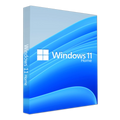
Microsoft Windows 11 Home
$28.99
$72.48Save $43.49 (60%)
Instant email deliveryYour licence key is emailed to you instantly once your payment is confirmed. No shipping fee.
Faulty key? We replace itOr a full refund if we can'tSecure checkoutCard details never storedActivation guidesStep-by-step install helpEmail supportsupport@msckey.com
Secure payment
Check the edition, version, number of devices and that it supports your operating system before you buy. Not sure? Email us first.
Overview
Buy Microsoft Windows 11 Home License Key at the Lowest Price
Windows 11 Home is the traditional version of Windows 11 that includes professional capabilities for business customers. Everything you need is crammed into one powerful system.
Enjoy the new Start menu in Windows 11 Home, as well as various new methods to start your computer. With Microsoft Edge, you can connect with your favorite people, get news updates, play games, and obtain verified information. Windows 11 Home is where you can think, express yourself, and create professionally.
Modifying the Start Menu in Windows 11 Home Edition is a new iteration. In the centre, there is a list of destinations and other possibilities, and on the right, there are apps represented by tiles. Furthermore, the menu may be enlarged and even expanded to fill the entire screen.
The new User Interface in Windows 11 will give you a new viewpoint. Windows 11 Home creates a quiet and creative environment in which you may explore your hobbies in a new way.
With Windows 11 Home, you’ll be able to increase your productivity by having access to all of the programs you need, including Android apps. Use technologies like Snap layouts, Virtual (Remote) Desktops, and a new more intuitive provoking experience to multitask with ease.
In Windows 11 Home, use Microsoft Teams to interact in a new way. Microsoft Teams, which replaces the long-favored Skype, allows you to communicate instantaneously with the people you care about directly from your desktop. No matter what device they’re using, they may call or chat for free.
With Microsoft Edge and a variety of Widgets available in Windows 11 Home, you may customize your own content. You can easily keep up with the news, information, and entertainment that you care about.
The new Microsoft Store makes it simple to locate the programs you need and the shows you want to watch. You may also use Intel Bridge technology to run Android apps on Windows 11 Home or download them from the Microsoft Store.
With visual capabilities that surpass reality, Windows 11 Home takes gaming to a whole new level. With Xbox Game Pass, you may play over 100 high-quality games and find your next favorite (membership sold separately).
How is Windows 11 Home Key Delivered/Downloaded?
Our fast and efficient e-delivery system allows for automatic allocation of your product key and near instant delivery. Once payment has been processed we make your unique product key visible on screen with an official Microsoft link to download your software. We also send this confirmation to the email provided on the order. This ensures we can provide our quick service to all of our customers at any time of the day.
Windows 11 Home Features
Windows 11 Home has the following major features
Microsoft Store: Microsoft Store is an online store that sells Microsoft products. Windows applications may be downloaded for your Windows tablet or PC. Thousands of free and premium applications are organized by category, with user reviews and ratings to compare.
Microsoft Teams: Teams can now be found immediately on the Windows 11 Taskbar, making it even easier to use. Teams will be available on Windows, Mac, Android, and iOS.
Better gameplay with Xbox Game Pass: Certain capabilities seen on Xbox consoles, such as Auto HDR and DirectStorage, are now available in Windows 11 Home to better gaming on your Windows PC.
Support for remote (virtual) desktops (Client only): Virtual desktops in Windows 11 allow you to switch between numerous computers for personal, work, education, or gaming purposes. Microsoft Remote Desktop Connection allows you to connect to another computer from any location in the world. In Windows 11, it’s turned off by default.
Hello, Windows: Use Windows Hello to log in to your Microsoft account. With Windows 11 Home, you can now sign in to your device from the lock screen and use Windows Hello to check in to your account on the web.
Encryption of devices: Device Encryption is included in Windows 11 Home. Windows device encryption is a security feature in Microsoft Windows that encrypts the system disk to safeguard your data. Only authorized persons can access your device and data if device encryption is enabled.
Network security and firewall: Stay safe and secure by feeling safe. Firewall & network protection in Windows Security, which is included in Windows 11 Home, allows you to check the status of Microsoft Defender Firewall and see which networks your device is connected to.
Internet security: Security is a significant element of Windows 11 Home, but it’s also about giving productivity and a decent experience with all of the security features enabled. This is why the system includes Internet protection, which protects you from Internet-related assaults.
Parental Supervision and Protection: Putting you in charge of your privacy is the first step. You should have the resources and knowledge necessary to make well-informed decisions. You can access and manage your cloud-based data.
Booting with Security: Secure Boot is a security standard established by members of the PC industry to ensure that a device boots using only software that the OEM trusts (OEM). The firmware validates the signature of each piece of boot software, including UEFI firmware drivers (also known as Option ROMs), EFI programs, and the operating system, before the computer starts up. The PC boots if the signatures are legitimate, and the firmware gives the operating system control.
Windows Defender Antivirus: protect your data and devices with the Windows Security App and Microsoft Defender Antivirus software in Windows 11 Home.
Snap Layouts and Snap Groups Are Two Types of Snap Layouts: These are groups of programs you’re using at the same time that sit in the Taskbar and may be brought up or minimized at the same time to make task switching simpler. Isn’t Windows 11 Home a fantastic operating system?
They also make it easier to plug and remove from a display without losing track of where your open windows are.
Other Notable Features of Windows 11 Home
- Set up with a local account
- Join Active Directory/Azure AD
- Hyper-V
- Windows Sandbox
- BitLocker device encryption
- Windows Information protection
- Mobile device management (MDM)
- Group Policy
- Enterprise State Roaming with Azure
- Assigned Access
- Dynamic provisioning
- Windows Update for Business
- Kiosk mode
System Requirements
- CPU: 1 gigahertz (GHz) or faster with 2 or more cores on a compatible 64-bit processor or System on a Chip (SoC)
- RAM: 4GB
- Storage: 64GB of larger
- System firmware: UEFI, Secure Boot capable
- TPM: Trusted Platform Module (TPM) version 2.0
- Graphics card: Compatible with DirectX 12 or later with WDDM 2.0 driver
- Display: High definition (720p) display that is greater than 9” diagonally, 8 bits per color channel
- Internet: Windows 11 Home edition requires internet connectivity and a Microsoft account (opens in new tab)to complete device setup on first use.
How it works
Pay securelyCheck out with your card or PayPal. Your card details are never stored by Msckey.
Get your key by emailYour licence key is sent to your checkout email, usually within 1 to 24 hours of payment confirmation.
Install and activateDownload the software and enter your key. Our guides walk you through every step. Activation guides →
Frequently asked questions
How will I receive my licence key?
We email your licence key to the address you enter at checkout. Nothing is shipped physically, and there is no shipping fee.
How long does delivery take?
Most orders arrive within 1 to 24 hours of payment confirmation. Delivery can take longer if a payment needs a security review. If your key hasn't arrived 24 hours after payment confirmation, email support@msckey.com with your order number.
What if my key doesn't work?
We replace faulty keys. If we can't supply a working replacement, you get a full refund. Email support@msckey.com with your order number, a screenshot of the activation error and your system details.
Can I cancel my order?
Yes, for a full refund, as long as your key hasn't been delivered yet. Once a key is delivered it can't be returned for a change-of-mind refund. See our Shipping & Returns policy.
Which payment methods can I use?
We accept major credit and debit cards and PayPal. All prices are in USD. See our Payment page for details.
You may also like

My Wishlist
Wishlist is empty.
Compare
Shopping cart