Licence keys delivered by email, most within 24 hours
Genuine software licences · Secure checkout

Free tool
Is your Microsoft software still supported?
Check end-of-support dates for Windows, Office and Server before you upgrade.
Check nowmsckeyDigital licence key
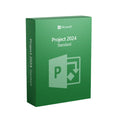
Microsoft Project 2024 Standard Bind Key
$89.99
$224.98Save $134.99 (60%)
Instant email deliveryYour licence key is emailed to you instantly once your payment is confirmed. No shipping fee.
Faulty key? We replace itOr a full refund if we can'tSecure checkoutCard details never storedActivation guidesStep-by-step install helpEmail supportsupport@msckey.com
Secure payment
Check the edition, version, number of devices and that it supports your operating system before you buy. Not sure? Email us first.
Overview
Plan Smarter, Work Better to Manage Your Project Management Solution
Microsoft Project 2024 Standard is a modern software to manage projects of any size with efficiency and clarity. The Standard edition is designed for individuals and small teams who are looking for a simple tool to manage complex projects easily. This MS Project retail version is not bound to a Microsoft account or device, so you can install and activate Project 2024 on any compatible devices. Whether managing projects, setting resources, or tracking progress, it equips users with everything they may need. Buy Microsoft Project 2024 Standard license key at a competitive price from Msckey and optimize your workflow.
What are the Differences Between Project 2024 Standard vs 2021 Standard?
Microsoft Project 2024 Standard introduces several enhancements compared to Project 2021 Standard. Check the differences below:
|
Features |
Project 2021 Standard |
Project 2024 Standard |
|
Release |
2021 |
2024 |
|
User Interface |
Classic layout |
Modern UI with Fluent Design |
|
Real-Time Collaboration |
No |
Available |
|
Performance Optimization |
Moderate Performance |
Faster Loading and Smoother Performance |
|
Resource Management |
Basic resource tracking |
Advanced resource management tools |
|
AI and Automation |
Limited |
AI-powered task automation and insights |
|
Security Features |
Standard Update Policy |
Enhanced with Microsoft update compliance |
|
Integration |
Basic Microsoft Tool Integration |
Advanced Microsoft 365 and third-party tools integration |
What’s New in MS Project Standard 2024?
Microsoft Project 2024 Standard is an upgraded version with enhanced features and capabilities. This update reflects Microsoft’s vision for today’s needs. Here are the latest inclusions:
Enhanced User Interface
MS Project Standard 2024 includes a simple interface that is easier to learn and operate. It helps users to focus on essential tasks and complete projects effectively. With customizable views, users can personalize their workspace with different views.
Advanced AI Features
With the AI-Powered Task Automation and Insights, users can do automated scheduling and get intelligent recommendations. It helps to deliver insights into any projects to aware managers with recommendations.
Real-Time Collaboration
Microsoft Project 2024 introduces real-time collaboration capabilities where team members work on a single document. This ensures better document creation and manages projects better.
Better Resource Optimization
With Project 2024 Standard, users will get better resource optimization tools to allocate resources and remove issues. It assists users in managing their project resources wisely and ensuring proper scheduling and actual budgets.
Enhanced Integration
Project 2024 Standard is integrated with Microsoft 365 apps and third-party tools to improve workflow. It helps to provide an improved work environment where sharing information across several platforms is simple and quick.
Key Features of Microsoft Project 2024 Standard
Microsoft integrates key features of Project 2024 Standard to improve workflow. Let’s explore this:
Built-in Templates: Microsoft Project Standard 2024 integrates thousands of pre-built templates that help users to start a project quickly. It shortens the project creation time and makes your projects successful.
Automated Scheduling: MS Project 2024 version includes automated scheduling facilities. This automation reduces inefficiencies and training time while increasing project effectiveness.
Task Relationships: Project 2024 added task path highlighting to understand the task relationships of a project. For example, the task path in Gantt charts helps to realize the relationships between data.
Intuitive Baselines and Dependencies: With intuitive baselines, users can track and compare projects' progression. Moreover, the Project 2024 Standard has auto-populated the start and end dates of the project based on dependencies.
Advanced Reporting Tools: Use built-in reports or create new ones with advanced reporting tools in MS Project 2024. This assists users in getting insights and tracking progress on their project.
Buy Project 2024 Standard License Key at the Best Price from Msckey
Msckey is a reliable seller for a long time and offers competitive prices for any software. We have thousands of positive reviews with 5-star ratings that prove the quality of our service. Check why you should purchase from us:
- Get a secure download link and original license key.
- Instant delivery via email after completing your payment.
- Complete instructions for Project 2024 Standard download, installation, and activation.
- Purchase invoice.
- Free technical support.
System Requirements for Project 2024 Standard
Microsoft Project 2024 Standard requires a specific system for installing the software. Take a look at the requirements for a smooth installation:
- Processor: At least 1.6 GHz of faster with 2 cores or more
- Operating System: Windows 11, Windows 10, and Windows Server 2019
- RAM: 4 GB (64-bit), 2 GB (32-bit)
- Hard Disk Space: Available space of 4 GB or more on the hard disk
- Display: 1280 x 768 px or higher
- Graphics: DirectX 10 graphics card
- Additional System Requirements: Microsoft account and internet connection
FAQs
Q1: What does Software retail key mean?
A retail key is not linked to Microsoft account as a bind key. It cannot be transferred to other devices after uninstalling the software from the existing device.
Q2: Is Project 2024 Standard a one-time payment or a subscription?
This version is a one-time purchase with lifetime activation.
Q3: Can I use Microsoft Project 2024 Standard without an internet connection?
Yes. When you activate the software, you can use it without internet connection. However, the internet is required during updates.
How it works
Pay securelyCheck out with your card or PayPal. Your card details are never stored by Msckey.
Get your key by emailYour licence key is sent to your checkout email, usually within 1 to 24 hours of payment confirmation.
Install and activateDownload the software and enter your key. Our guides walk you through every step. Activation guides →
Frequently asked questions
How will I receive my licence key?
We email your licence key to the address you enter at checkout. Nothing is shipped physically, and there is no shipping fee.
How long does delivery take?
Most orders arrive within 1 to 24 hours of payment confirmation. Delivery can take longer if a payment needs a security review. If your key hasn't arrived 24 hours after payment confirmation, email support@msckey.com with your order number.
What if my key doesn't work?
We replace faulty keys. If we can't supply a working replacement, you get a full refund. Email support@msckey.com with your order number, a screenshot of the activation error and your system details.
Can I cancel my order?
Yes, for a full refund, as long as your key hasn't been delivered yet. Once a key is delivered it can't be returned for a change-of-mind refund. See our Shipping & Returns policy.
Which payment methods can I use?
We accept major credit and debit cards and PayPal. All prices are in USD. See our Payment page for details.
You may also like

My Wishlist
Wishlist is empty.
Compare
Shopping cart